Everything Restroplex does, and what it needs to do it.
Seven areas of one product. Each section lists what works today, what depends on your plan, and what you need to set up. Items marked Pro + need the Professional or Business plan.
Screenshots are from the Restroplex app, using a sample restaurant (Sundhara Kitchen & Bar) set up for this site.
Orders, tables and kitchen tickets
Take the order once. Every station gets its part.
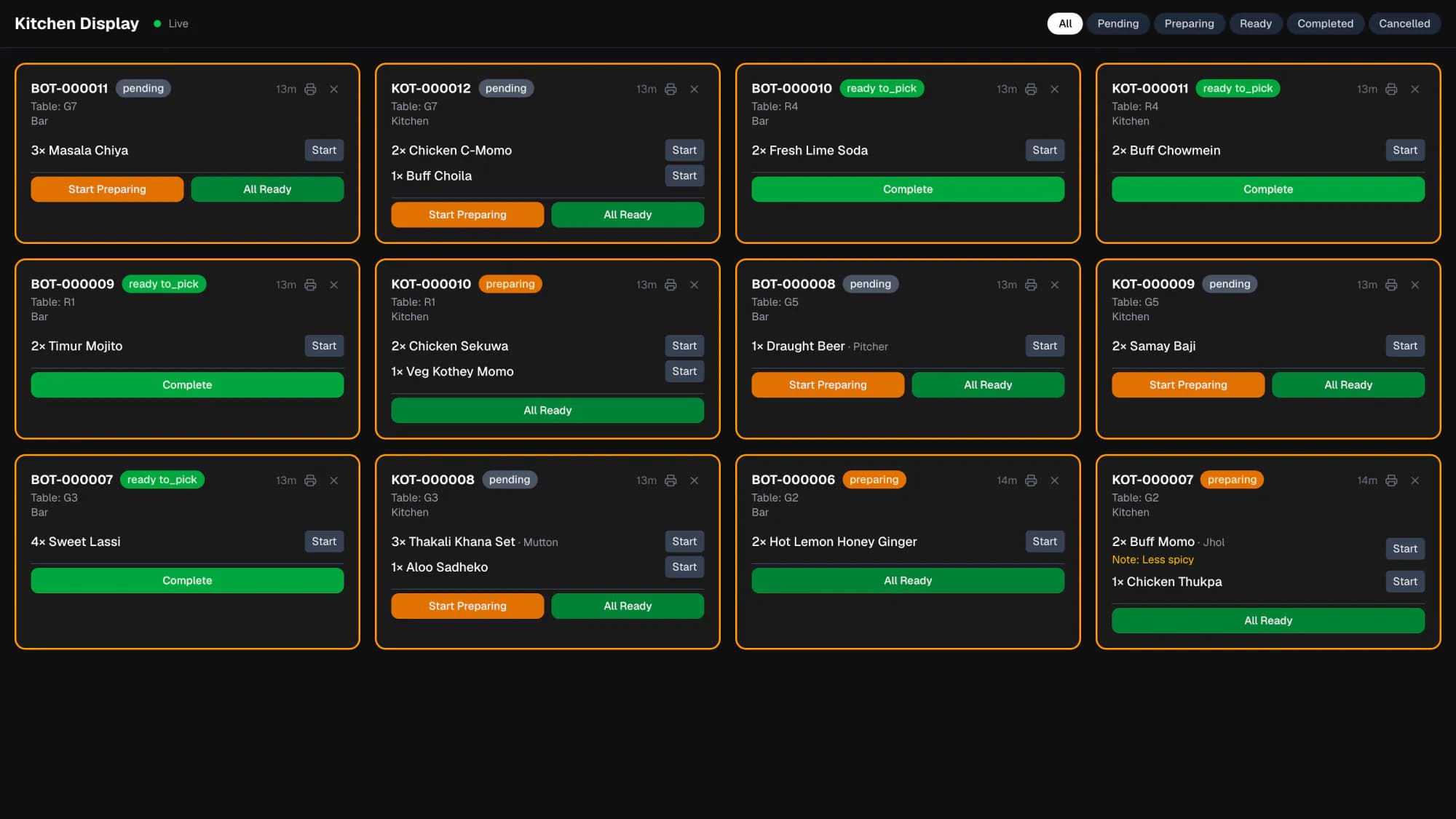
Waiters take orders on a phone or at the counter. Dishes are routed to the station that prepares them — kitchen, bar, or any station you add — and the kitchen display updates as tickets arrive.
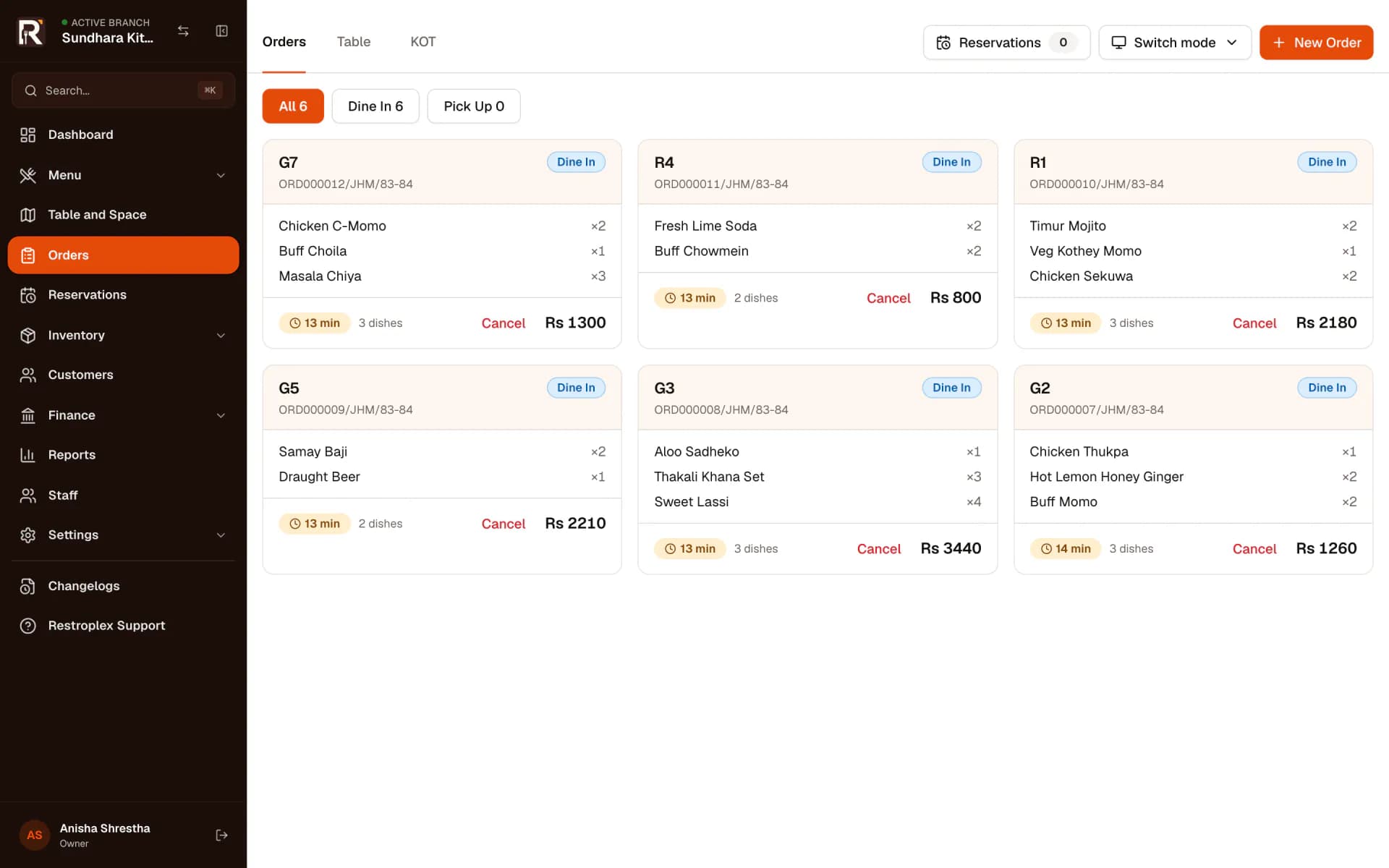
- Dine-in, pickup and quick-bill orders
- Floor plan by space (ground floor, rooftop, …) with occupied tables marked
- Mobile order-taking flow: table, dishes, review, send
- Counter POS with dish search, categories, variants and combos
- Kitchen (KOT) and bar (BOT) tickets, plus custom preparation stations
- Kitchen display with pending, preparing and ready-to-pick states
- Status per ticket or per dish, with time elapsed on each ticket
- Add dishes to an open order; only the new dishes are sent
- Move a table’s order or individual dishes to another table
- Seat a party across several tables and check them out together
- Cancel a dish already sent to the kitchen — it is struck through and logged, not erased
- ReservationsPro +
Good to know
The kitchen display runs in a browser on any screen in the kitchen. It needs a network connection to receive tickets.
Billing and payments
Settle the bill the way the guest actually pays.
Checkout pulls in everything the table ordered. Split a bill across payment modes, take part now and the rest later, or record it as credit against a customer.
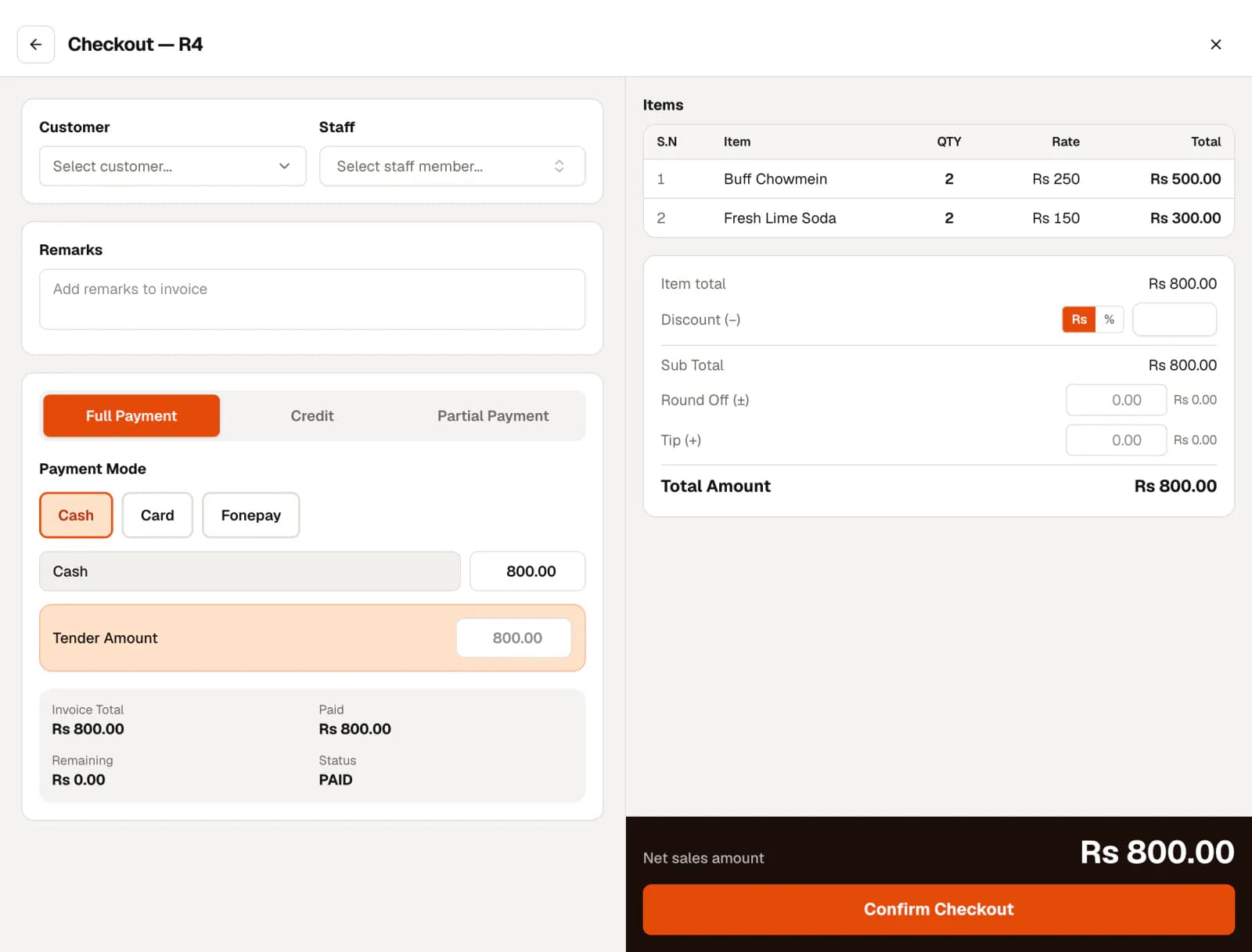
- Full, partial and credit payments
- Split one bill across several payment modes
- Discounts by amount or percentage, round-off and tips
- Payment modes and cash or bank accounts you configure
- Customer credit limits and outstanding balances
- Estimate (pre-bill) before checkout
- Sales returns against an invoice
- PAN or VAT registration, with VAT-inclusive or VAT-exclusive pricing
- eSewa, Khalti or Fonepay checkout with your own merchant accountPro +
Good to know
Online payment gateways need your restaurant’s own merchant credentials. Restroplex does not hold or settle money on your behalf.
Menu and QR menu
One menu feeds the POS, the kitchen and the guest’s phone.
Dishes carry their price, variants, add-ons, dietary type, preparation time and the station that makes them. The same menu is published as a read-only digital menu guests open from a QR code.
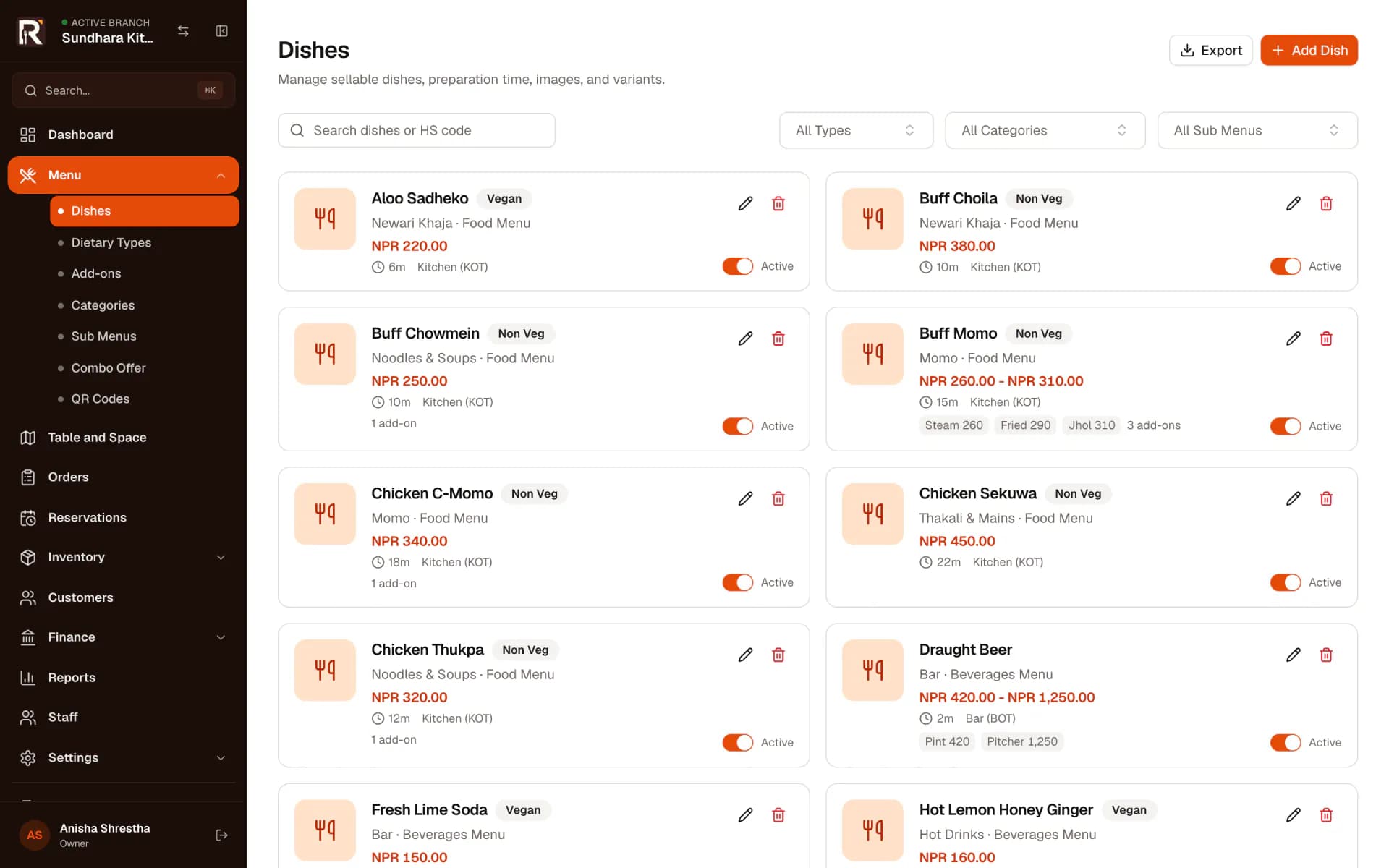
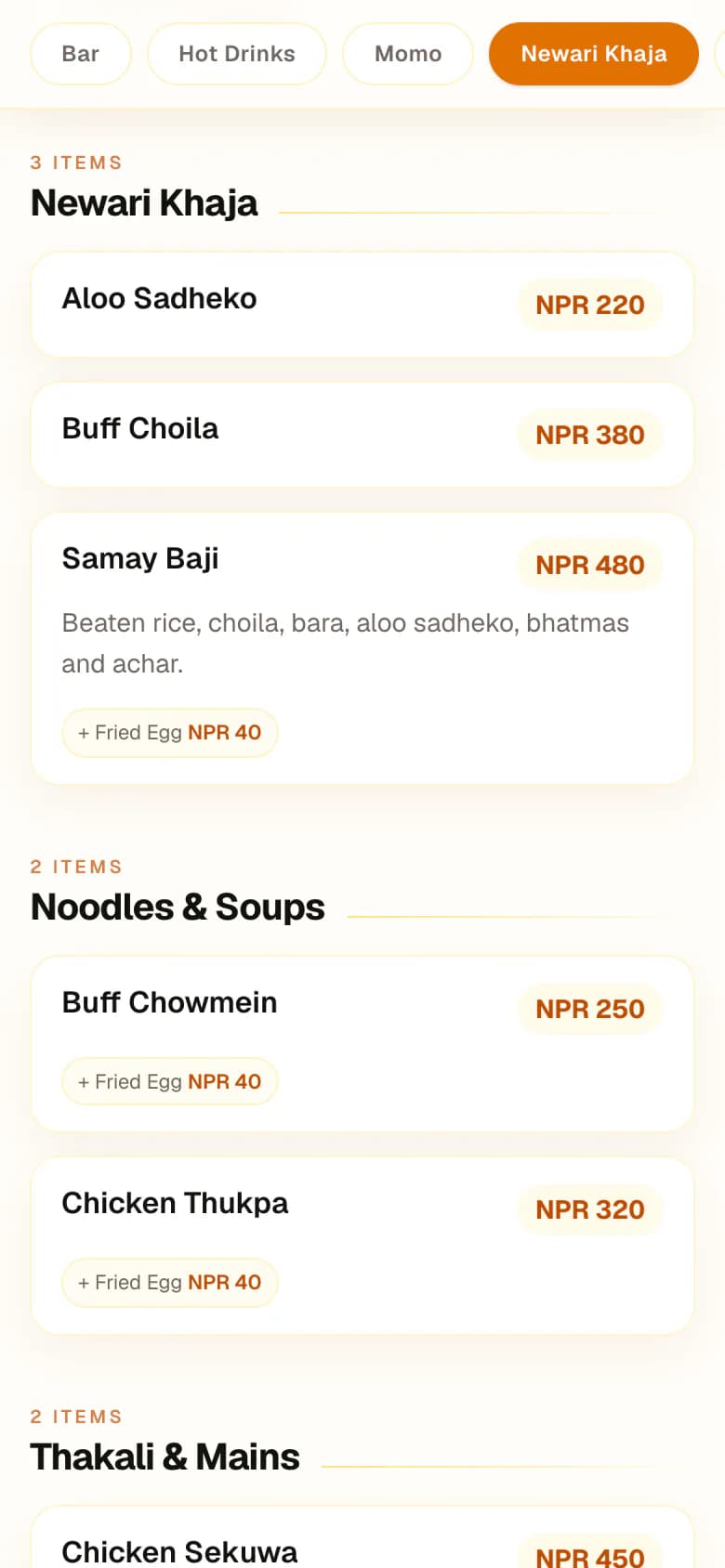
- Categories and sub-menus (for example, food and beverages)
- Variants with their own prices (steam, fried, jhol)
- Add-ons with their own prices
- Combo offers built from existing dishes
- Dietary types, preparation time and preparation station per dish
- Turn a dish off without deleting it
- Printable QR codes that open the digital menu
Good to know
The QR menu is for viewing the menu. Guests cannot place orders or pay through it.
Inventory and purchasing
Know what came in, what was used, and what is running low.
Supplier bills add stock. Recipes link each dish to the ingredients it uses, so checkout deducts them. Adjustments, returns and every movement stay in the item’s history.
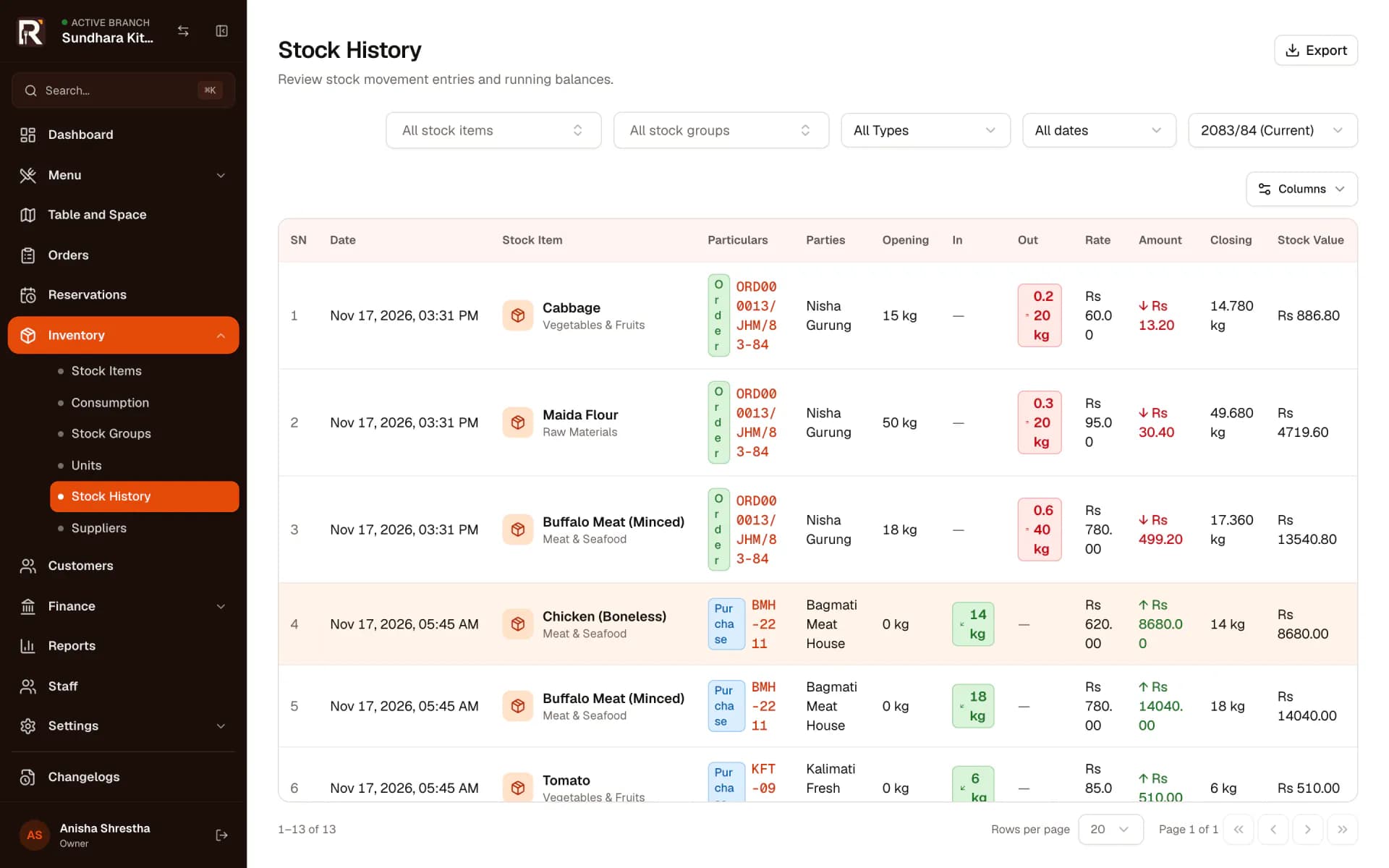
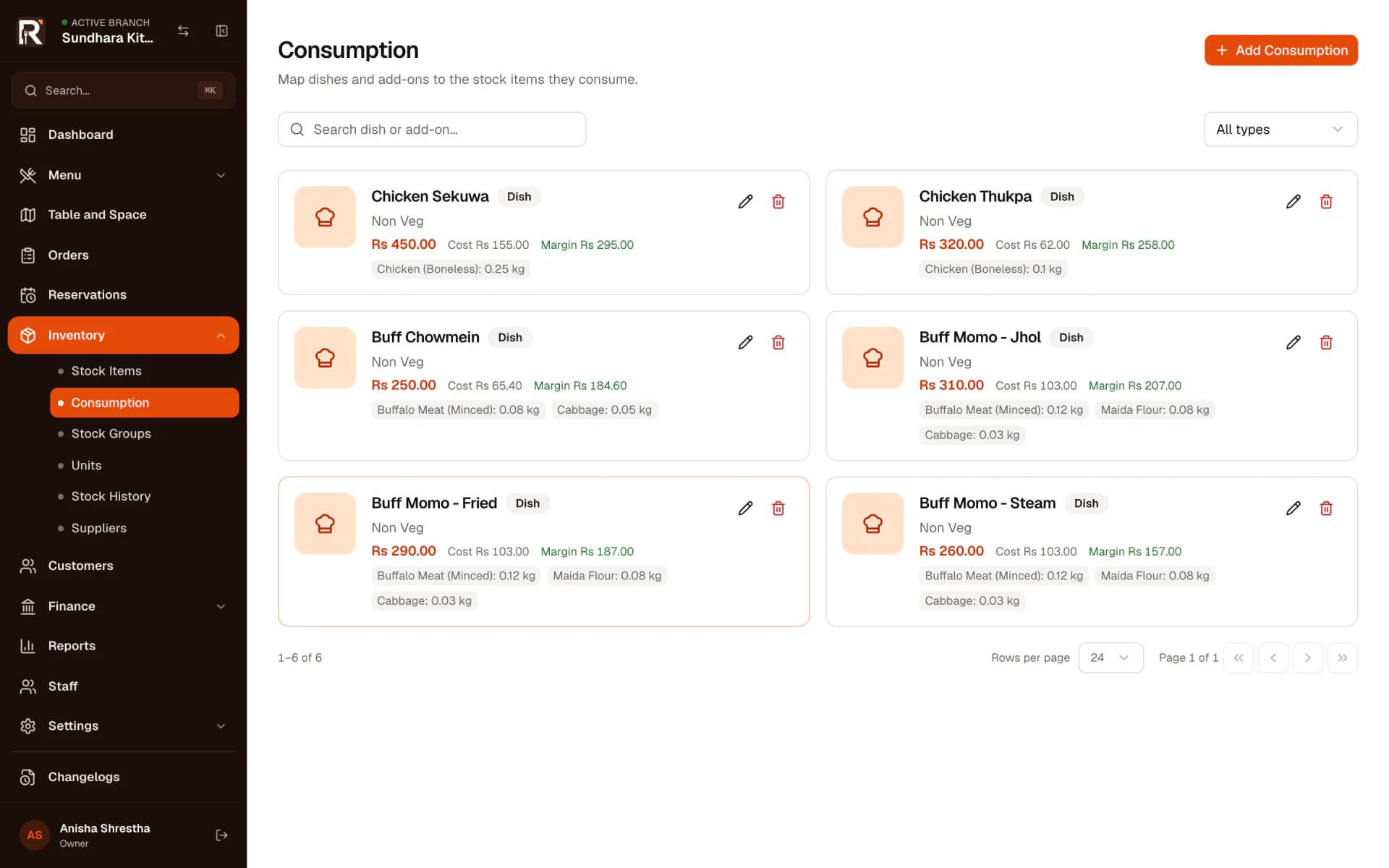
- Stock items with groups, units, cost and minimum levelsPro +
- Purchase bills with per-line VAT, discounts and due datesPro +
- Purchase returnsPro +
- Recipes (consumption) per dish, variant and add-onPro +
- Automatic deduction of recipe ingredients at checkoutPro +
- Stock adjustments with a reasonPro +
- Stock history with running balances for every itemPro +
- Low-stock and out-of-stock indicatorsPro +
- Suppliers with payment terms and payable balancesPro +
Good to know
Stock is only deducted for dishes that have a recipe. Without recipes, inventory still tracks purchases and adjustments.
Accounting and reports
Sales, purchases and payments post to the books as they happen.
Every bill, purchase, payment, income and expense is recorded in the accounts. Owners read the day book, customer and supplier balances, and financial statements by Nepali fiscal year.
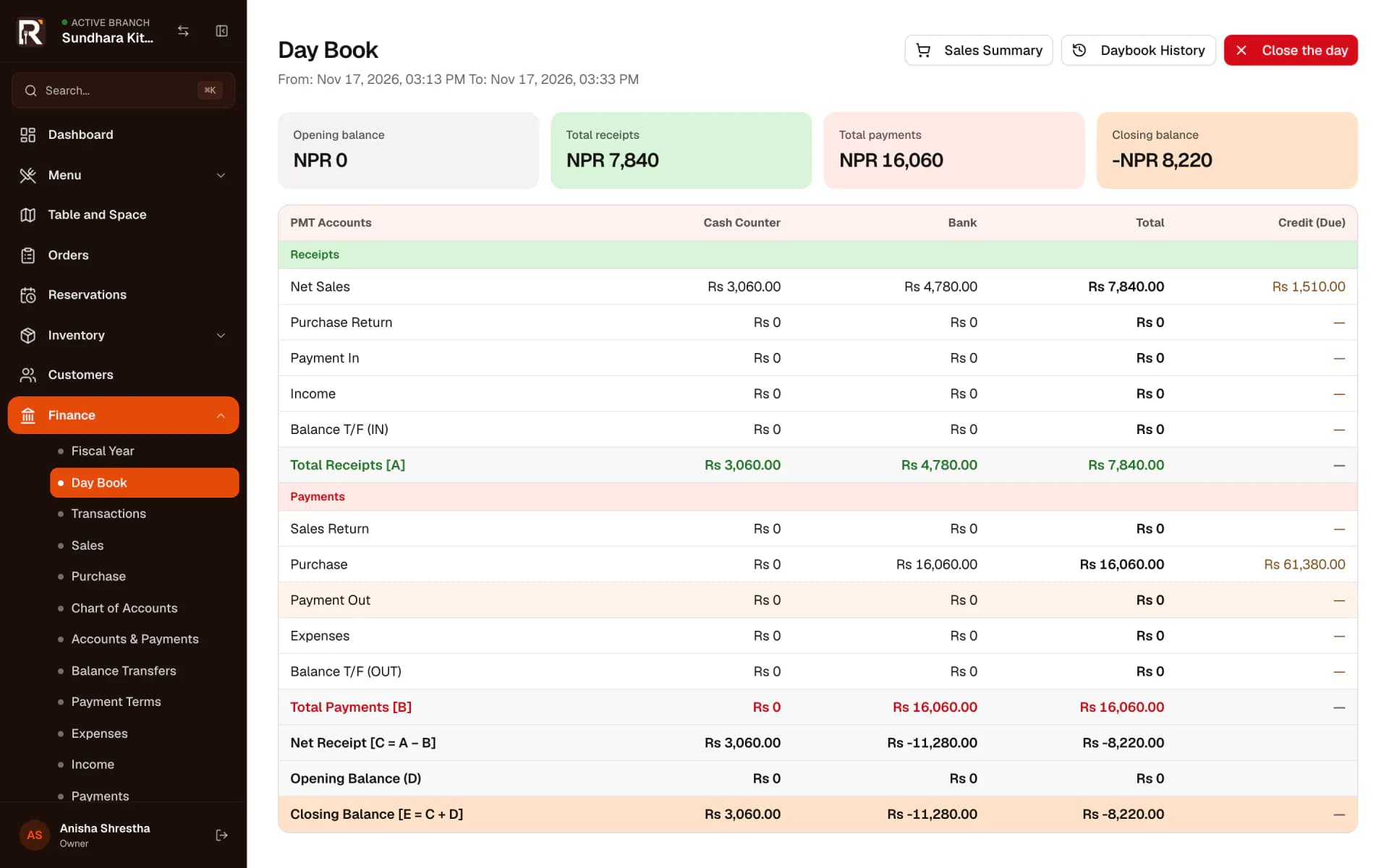
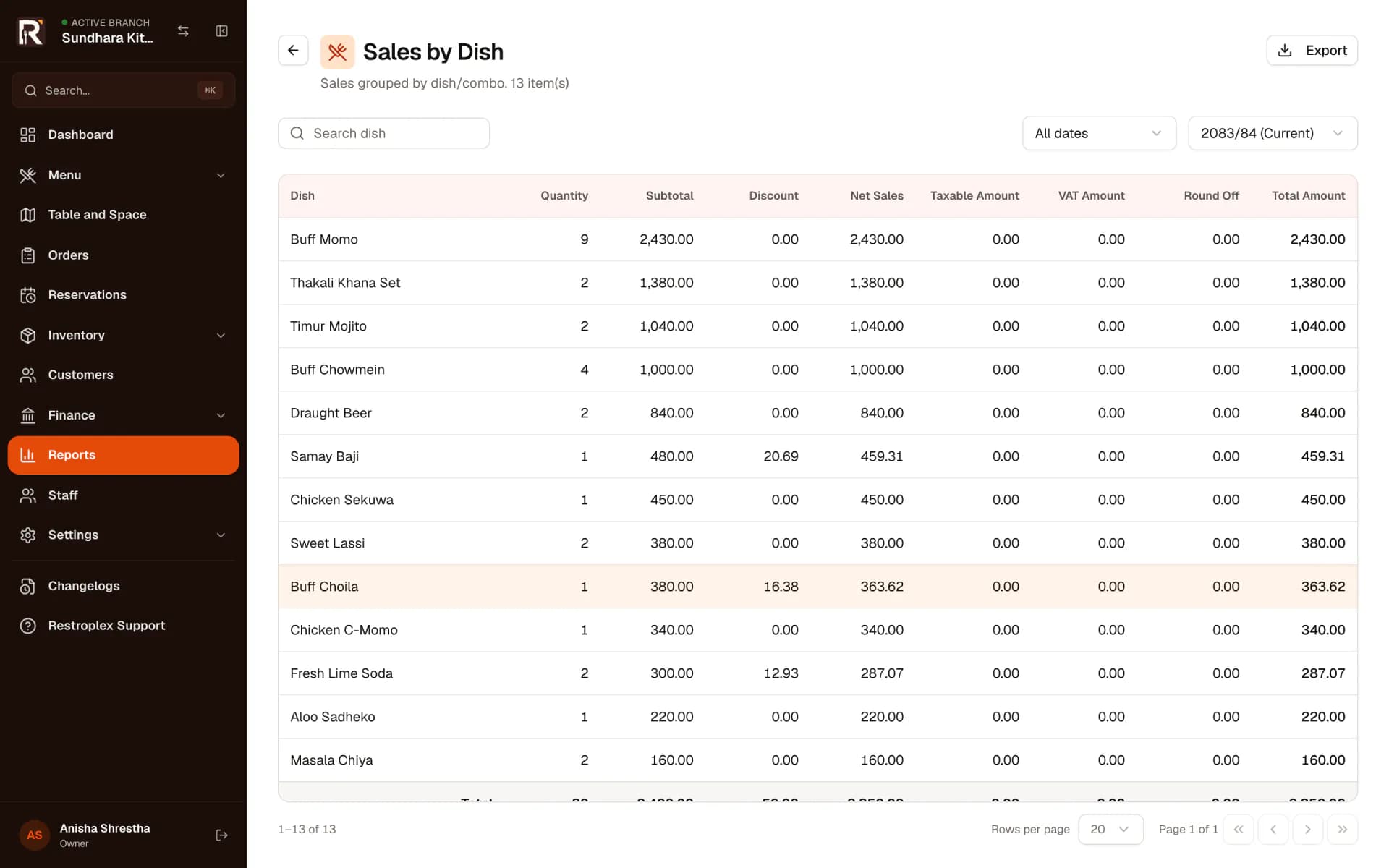
- Day book with cash and bank columns
- Income and expense entries
- Payments in and out against customers and suppliers
- Chart of accounts, journal vouchers and balance transfersPro +
- Trial balance, balance sheet and income statementPro +
- Customer receivable and supplier payable reportsPro +
- Nepali fiscal years and Bikram Sambat dates
- Excel export for reports, or send them by email
Good to know
Restroplex keeps operational and financial records. It is not a substitute for advice from your accountant or tax adviser.
Staff, permissions and restaurants
Everyone gets the screens their job needs, and nothing else.
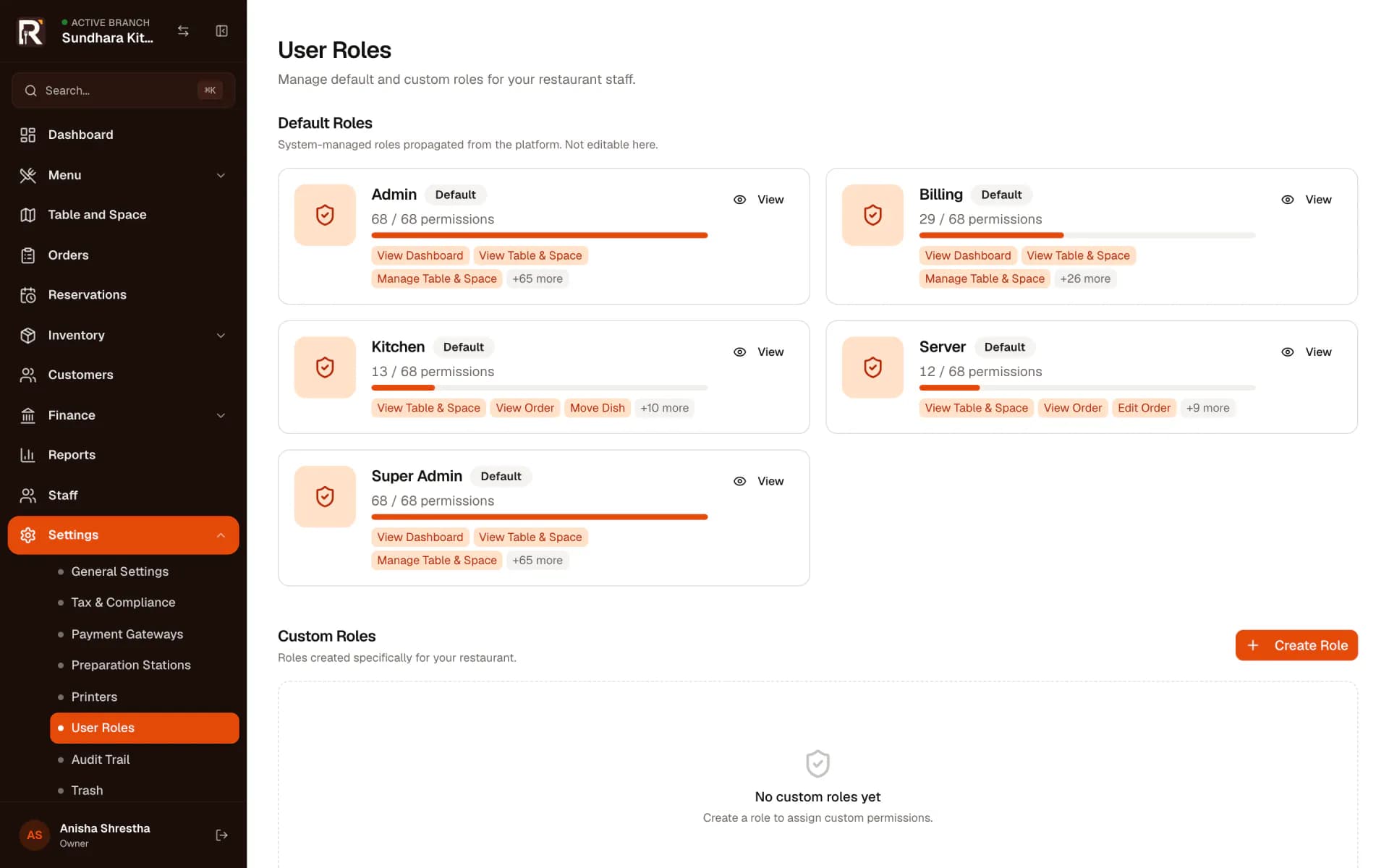
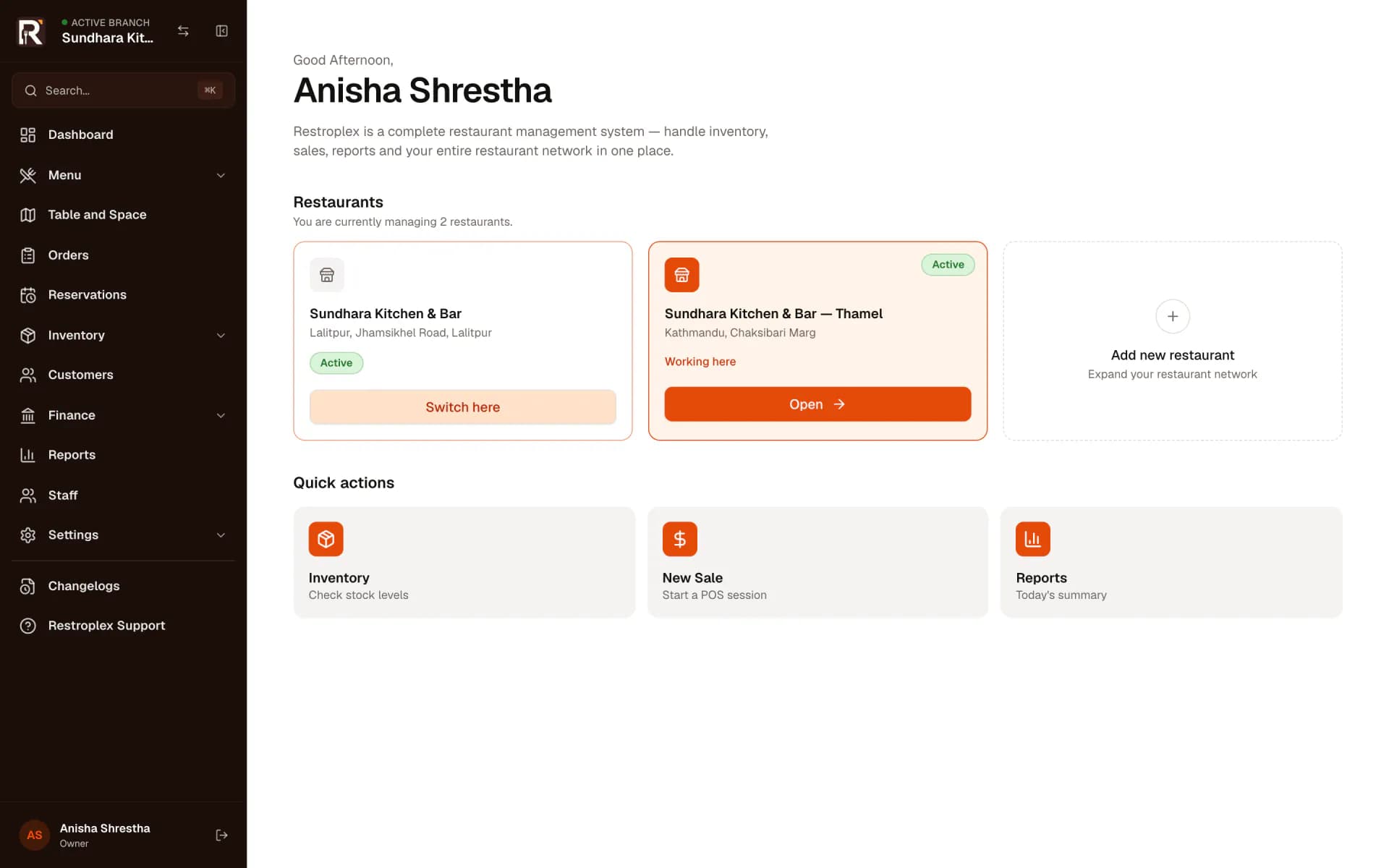
Invite staff with a role — server, billing, kitchen, admin — and each role decides what that person can see and change. Owners switch between restaurants from one login.
- Staff invitations by email
- Default roles: Super Admin, Admin, Billing, Kitchen and Server
- Custom roles with your own permission setPro +
- Actions a role cannot perform are disabled, and the API refuses them
- Audit trail of who changed what and when
- Deleted records go to trash first
- Several restaurants under one owner login, each with its own data
- Staff ledger for salary, advances and payments
Good to know
Each restaurant has its own subscription and its own plan limits. A new restaurant can be added once the existing ones have an active plan.
Printing
Tickets and receipts go to the printers you already have.
Restroplex prints through OPPA, a small desktop agent installed on a computer at the restaurant. Pair it once with a code, then choose which printer receives receipts and which receives each station’s tickets.
Good to know
The computer running OPPA must be on and connected for jobs to print. Printing can still fail at the printer. When the agent reports a failed job, the job history shows it so staff can retry.
Check your printer model with us before buying new hardware.
- Pairing with a one-time code from the printer settings
- Receipt printer and one ticket printer per station
- Printers discovered by the agent on its computer and network
- Jobs wait while the agent is offline and are sent when it reconnects
- Print job history with status, failures and manual retry
- Reprint tickets and invoices
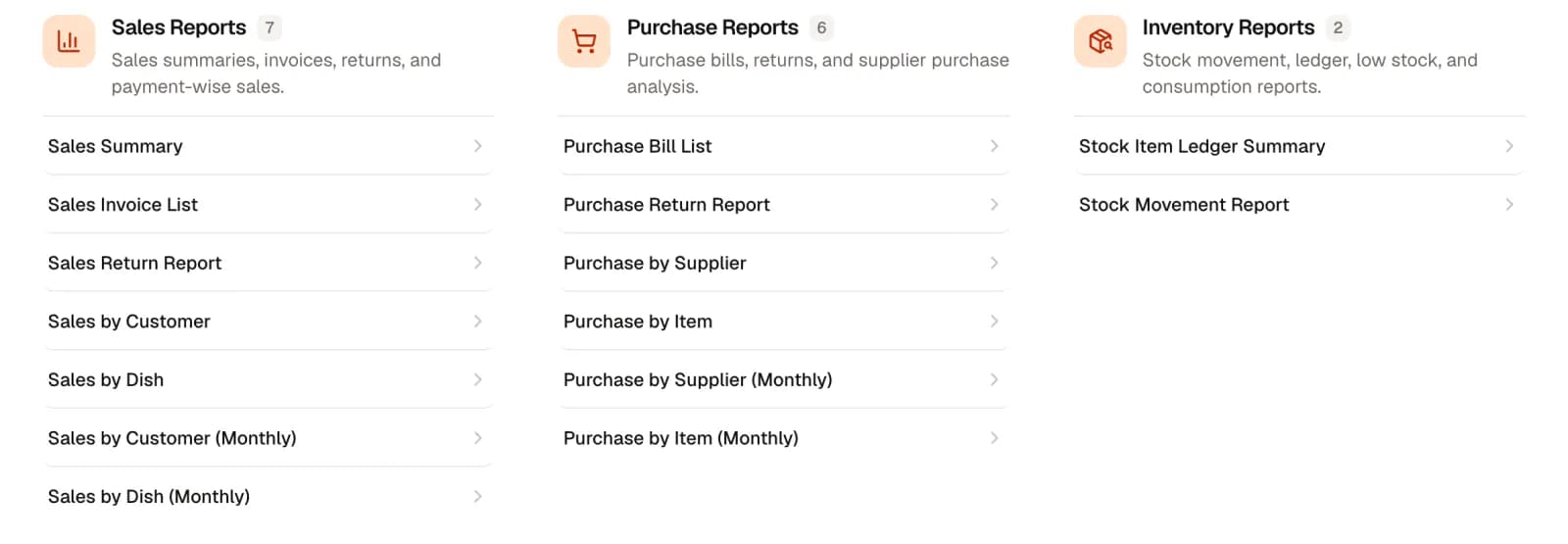
33 reports, by date, period or fiscal year.
Every report reads from the same orders, bills and purchases your team enters. Export any of them to Excel or send it by email. Groups marked Pro + need the Professional or Business plan.
Sales
What sold, to whom, and what came back.
- Sales summary
- Sales invoice list
- Sales return report
- Sales by customer
- Sales by dish
- Sales by customer (monthly)
- Sales by dish (monthly)
PurchasesPro +
What you bought, from which supplier, and how it changes month to month.
- Purchase bill list
- Purchase return report
- Purchase by supplier
- Purchase by item
- Purchase by supplier (monthly)
- Purchase by item (monthly)
InventoryPro +
Every movement of every stock item, with running balances.
- Stock item ledger summary
- Stock movement report
AccountingPro +
Where money moved and how the business is doing.
- Transaction list
- Day book
- Account summary
- Trial balance
- Balance sheet
- Income statement
- Detailed general ledger
- General ledger master
Receivables and payablesPro +
Who owes the restaurant, and whom the restaurant owes.
- Party balance report
- Customer receivable report
- Supplier payable report
Registers and VAT
Sales and purchase registers and VAT summaries for your records and your accountant.
- Sales register
- Sales return register
- Purchase register
- Purchase return register
- VAT summary report
- Annex 13 report
- Annex 5 report
Set up for restaurants in Nepal.
Restroplex keeps your records. It does not give tax advice — confirm your obligations with your accountant.
- Currency
- Prices, bills and reports in Nepalese rupees.
- Calendar
- Bikram Sambat or AD dates, set per restaurant.
- Fiscal years
- Nepali fiscal years (Shrawan to Asar) for numbering and reports.
- Registration
- PAN or VAT registration, with VAT-inclusive or VAT-exclusive pricing.
- Wallets
- eSewa, Khalti and Fonepay checkout with your own merchant account, on Professional and Business.
See it with your own menu.
In a demo we walk through the parts that matter to your restaurant — service, the kitchen, billing, stock or several locations — and answer questions about your printers and setup.