Keep the wholerestaurant in sync.
Restroplex takes an order from the table to the kitchen, the bill, the stock room and the books — so the floor, the kitchen and the owner work from the same record.
For restaurants in Nepal. Runs in the browser on the computers, tablets and phones you already have.
Screenshots are from the Restroplex app, using a sample restaurant (Sundhara Kitchen & Bar) set up for this site.
One order, five people, one record.
Follow one dine-in order at a sample restaurant, from the moment a waiter seats the table to the owner’s end-of-day view. Every screen is the real app.
The order is taken at the table
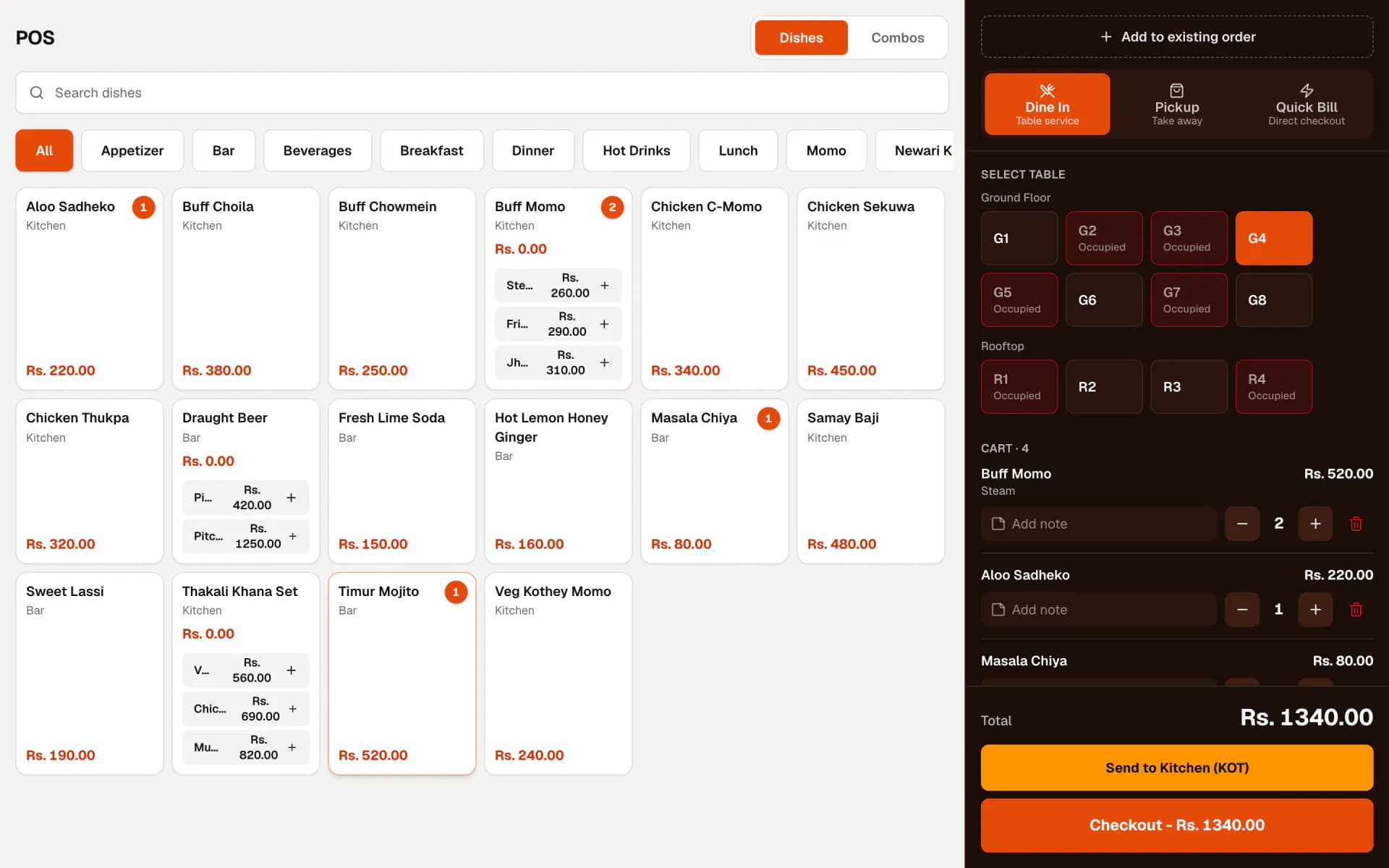
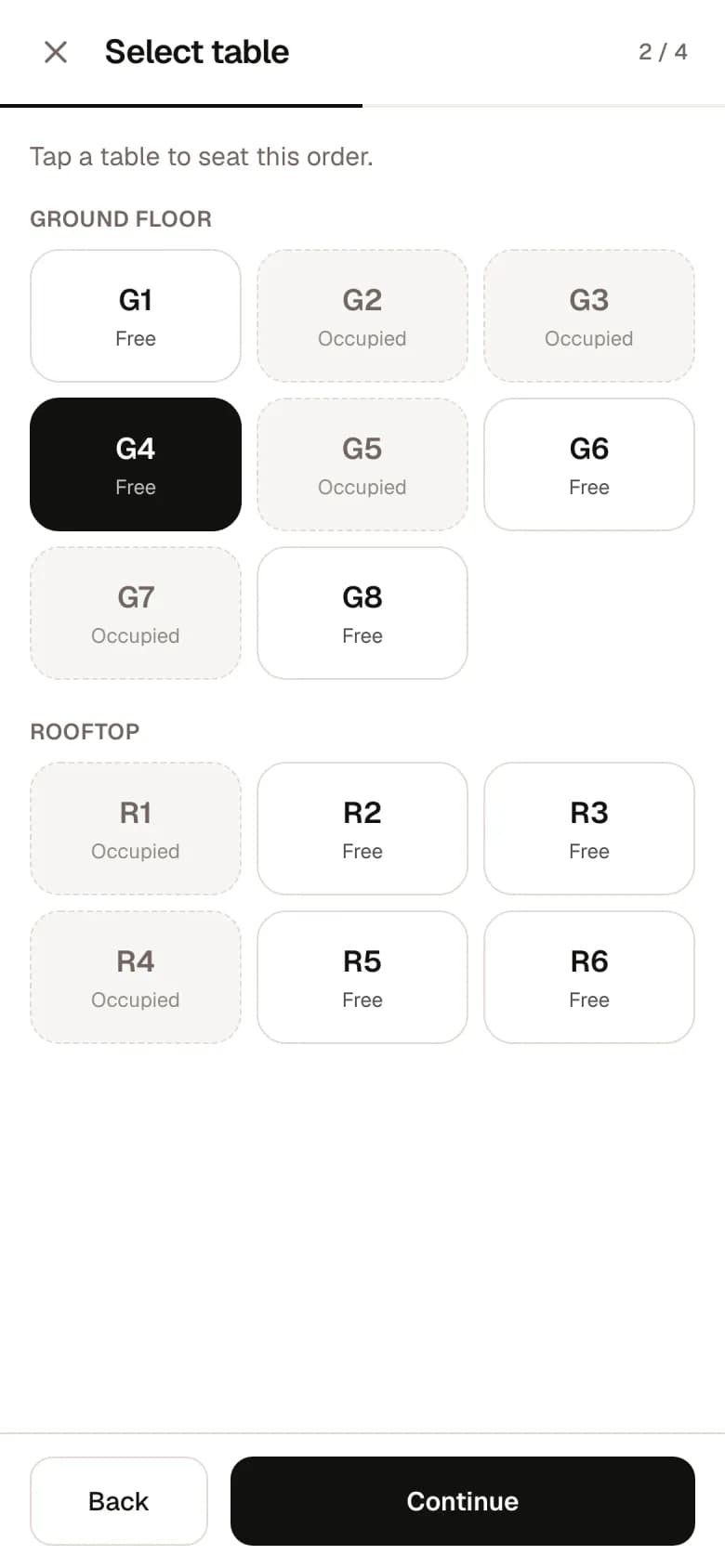
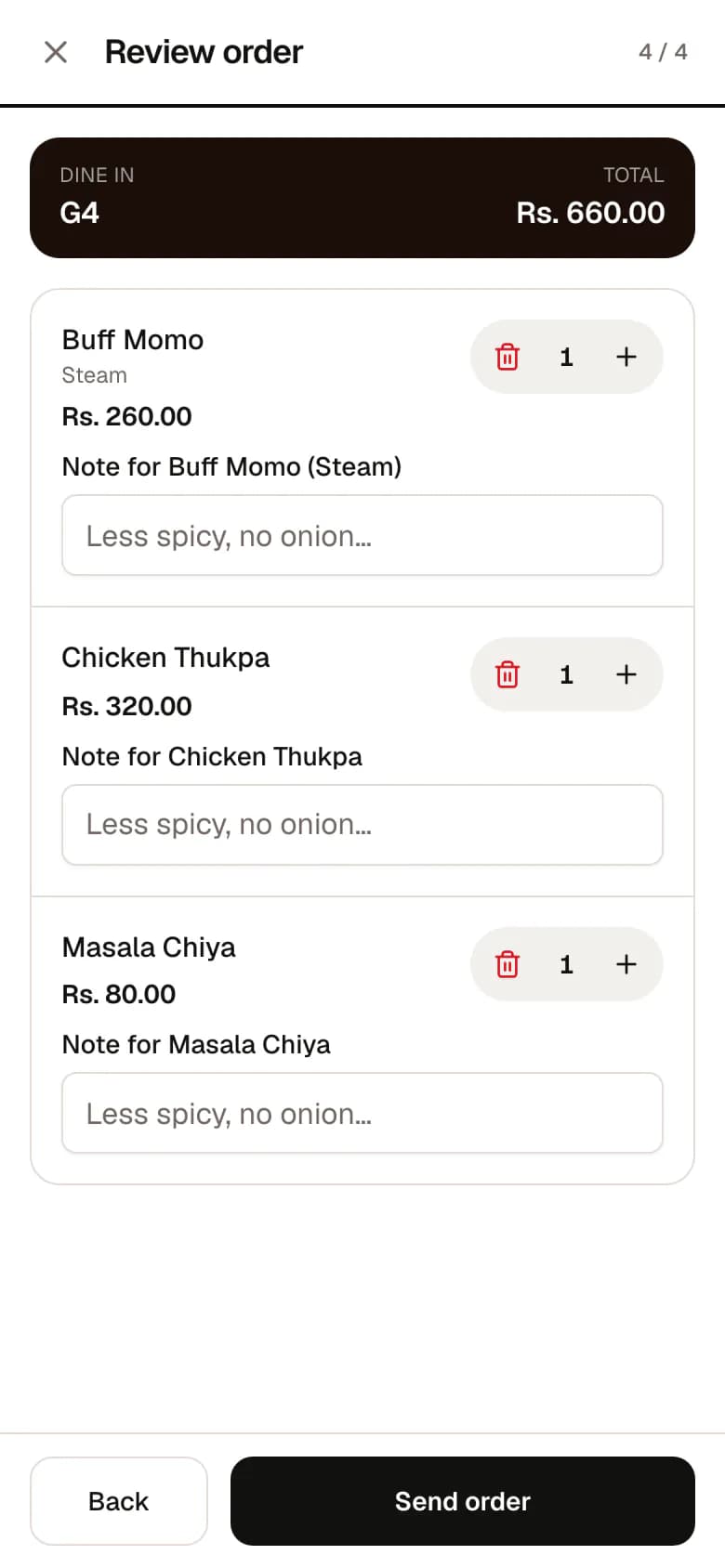
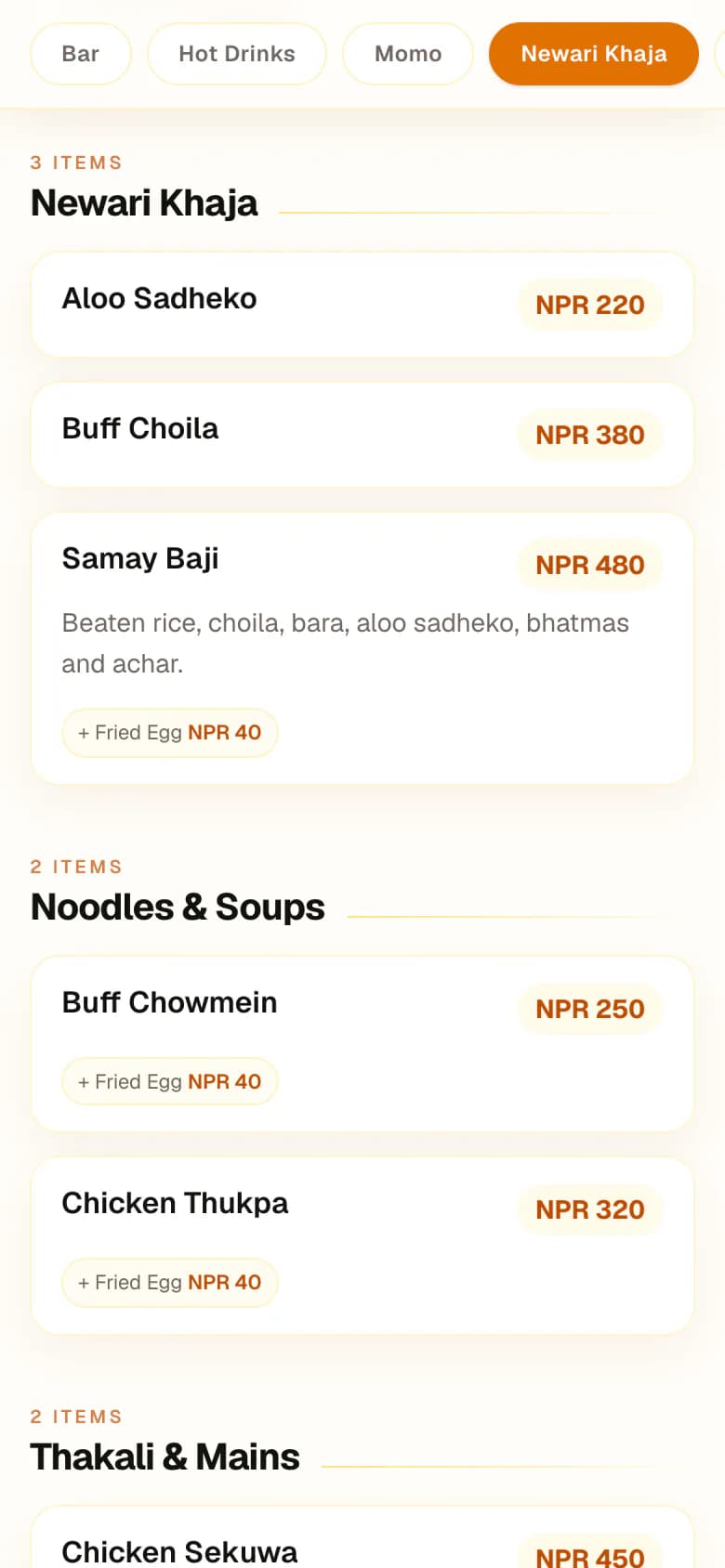
A waiter picks table G4 on a phone, adds dishes and variants, and leaves a note for the kitchen. Tables already in use are marked as occupied.
- Order on a phone, a tablet, or the counter POS
- Dine-in, pickup, or quick bill
- Notes per dish, add-ons and variants
01 / 05 · Waiter
The order is taken at the table
A waiter picks table G4 on a phone, adds dishes and variants, and leaves a note for the kitchen. Tables already in use are marked as occupied.
- Order on a phone, a tablet, or the counter POS
- Dine-in, pickup, or quick bill
- Notes per dish, add-ons and variants
02 / 05 · Tickets
Kitchen and bar each get their part
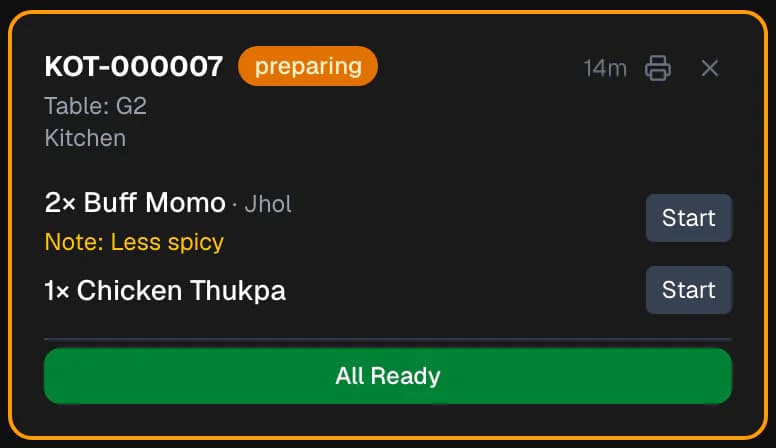
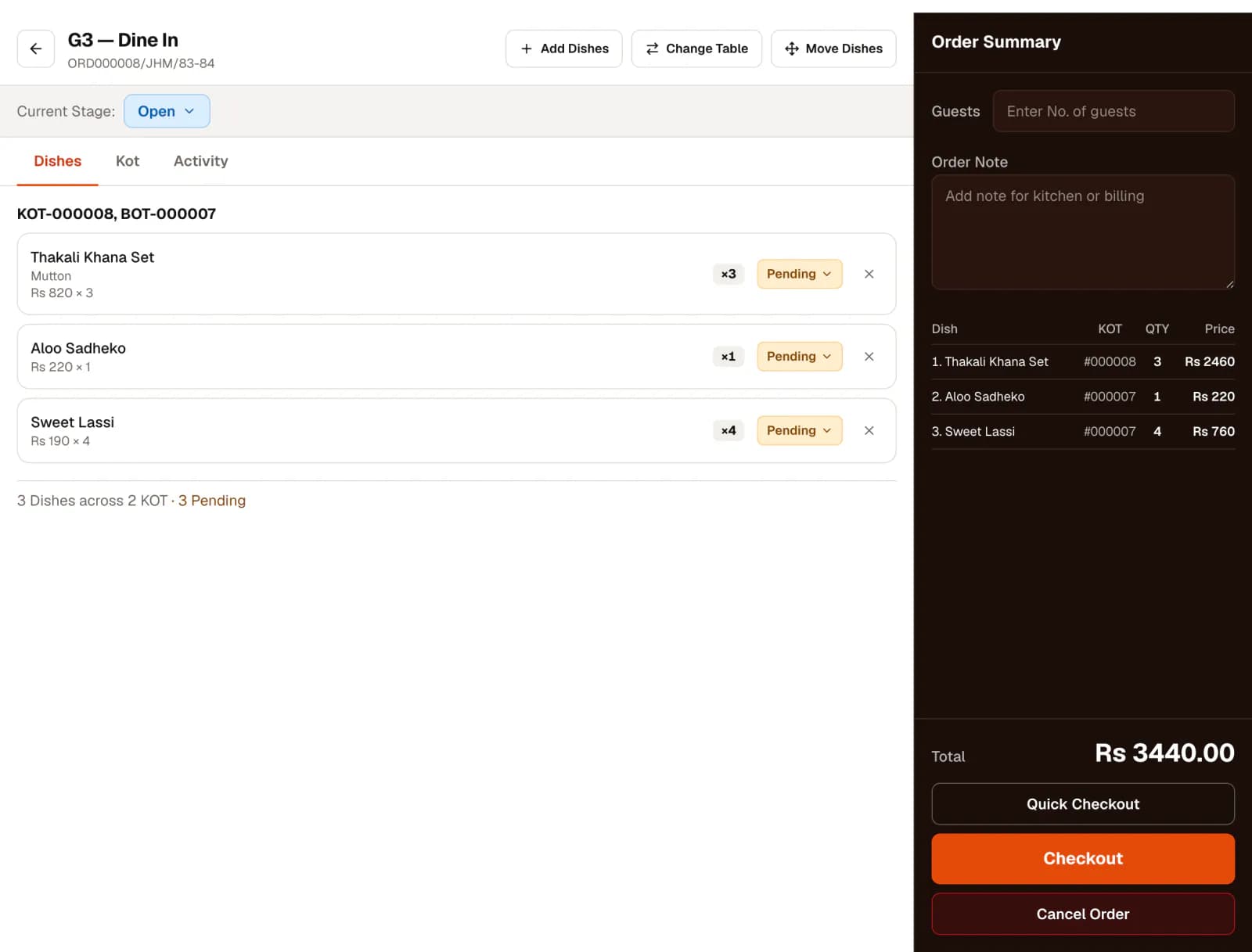
When the order is sent, dishes are grouped by the station that prepares them. Food becomes a kitchen ticket (KOT); drinks become a bar ticket (BOT).
- Stations are yours to define
- Tickets print to the station’s printer when one is set up
- Add dishes later and only the new ones are sent
03 / 05 · Kitchen
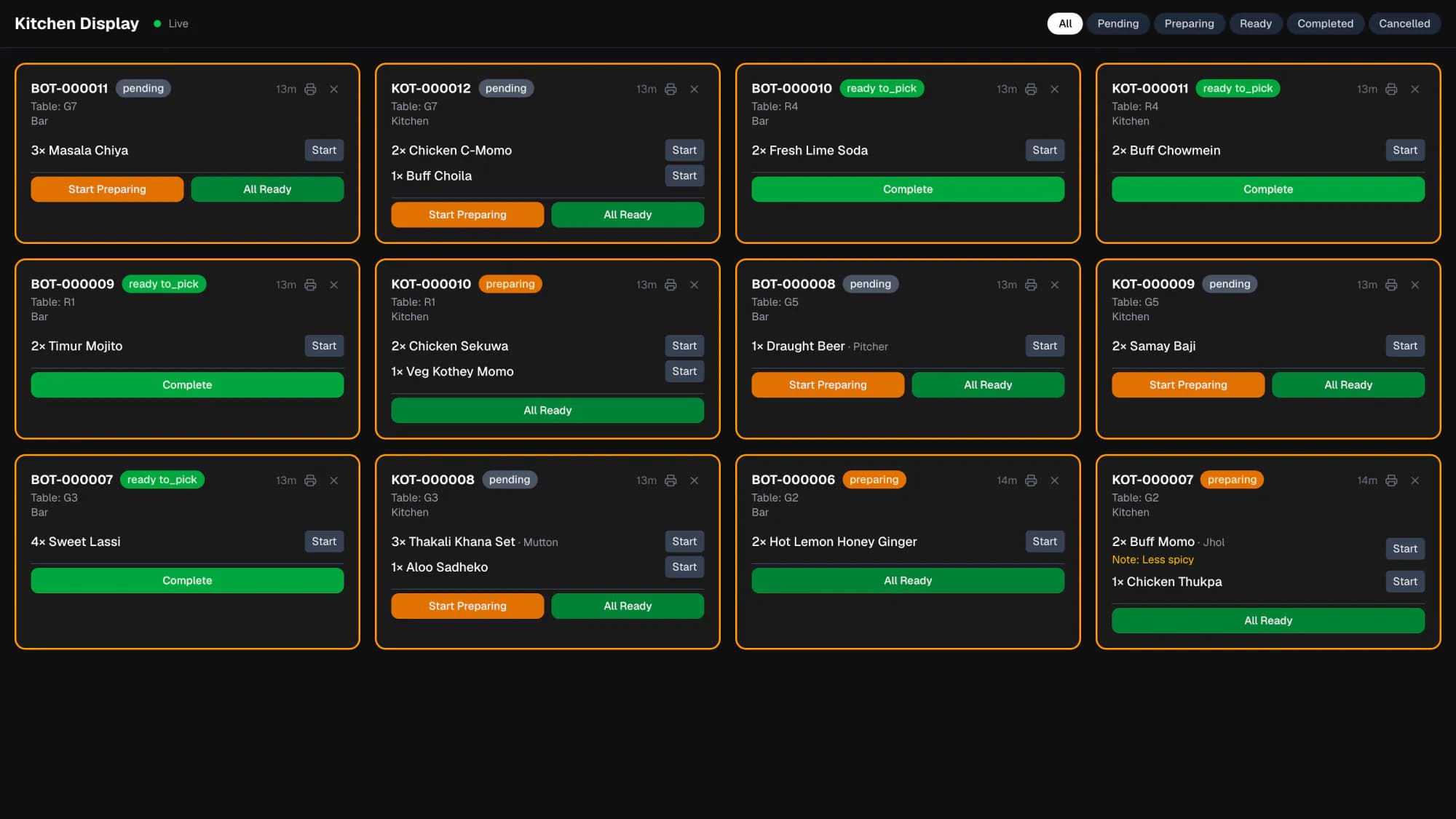
The kitchen works from a live screen
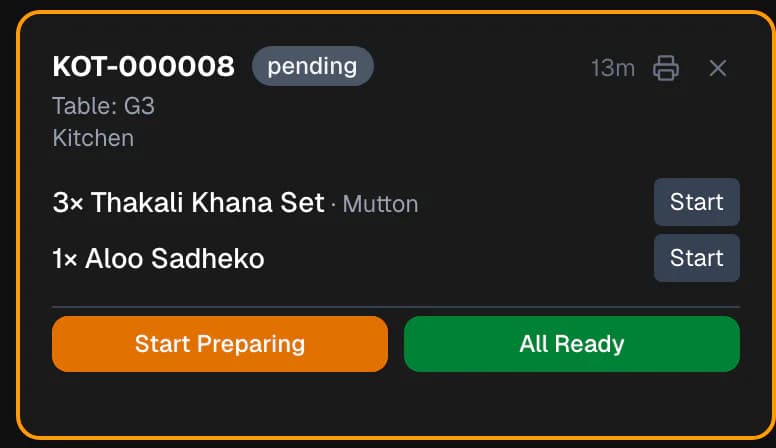
The kitchen display updates as tickets arrive. Cooks mark a ticket or a single dish as preparing and ready, and service staff can see what is waiting to be picked up.
- Pending, preparing, ready to pick
- One station or all of them
- Time on every ticket
04 / 05 · Cashier
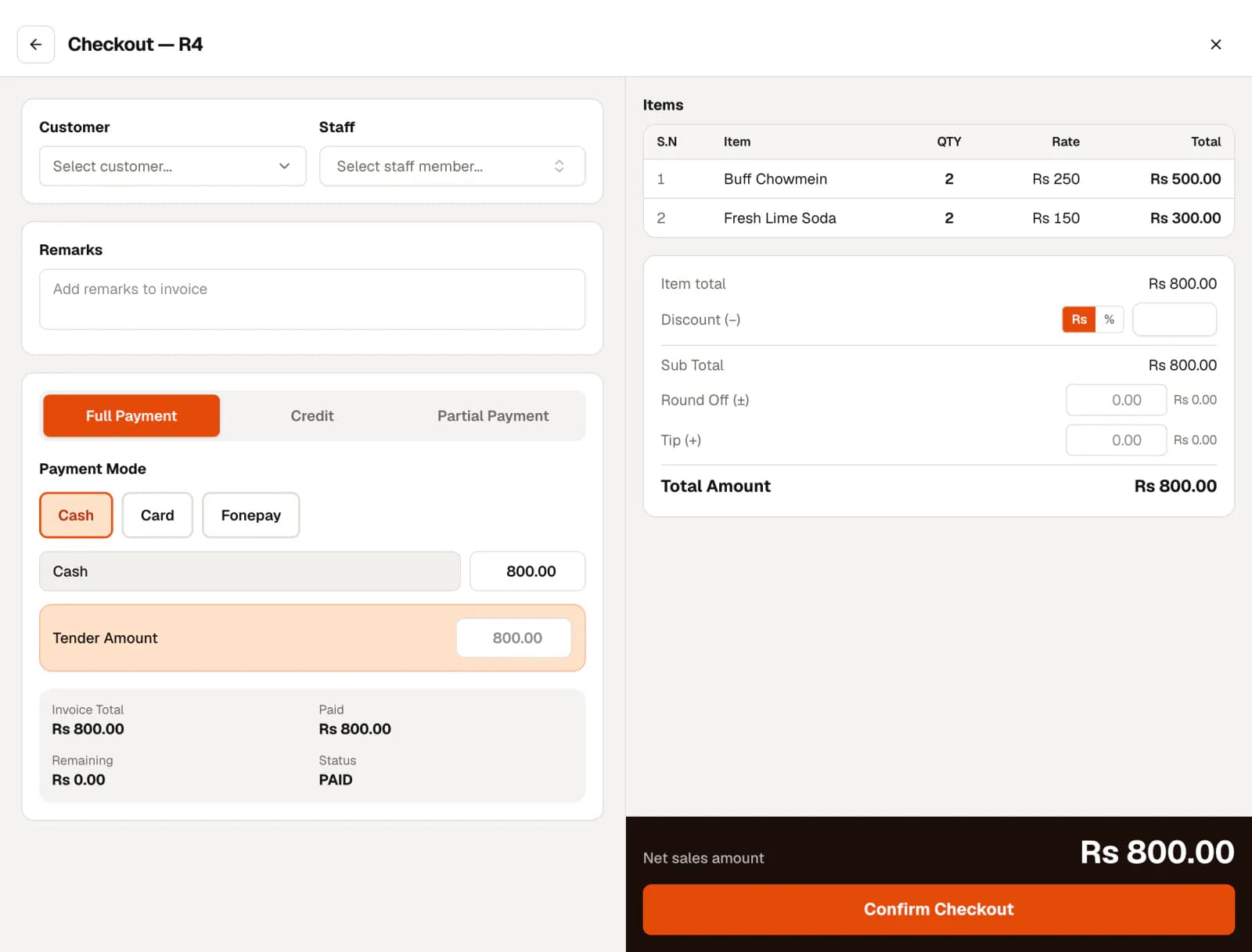
The bill is settled the way the guest pays
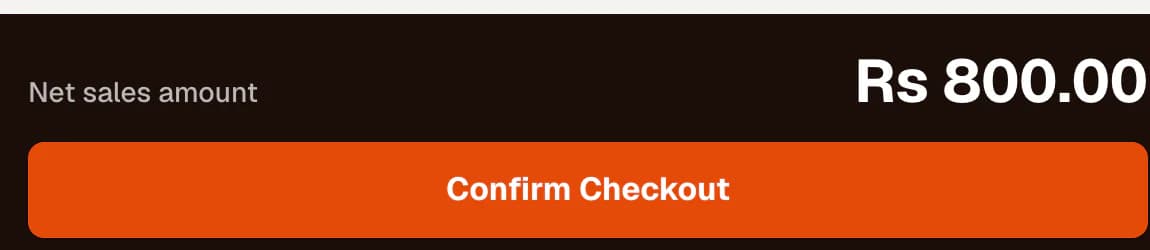
Checkout pulls in everything the table ordered. Split the payment across the payment modes you use, apply a discount, or record the bill as credit against a customer’s account.
- Full, partial or credit payment
- Discounts, round-off and tips
- Payment modes you configure
05 / 05 · Owner
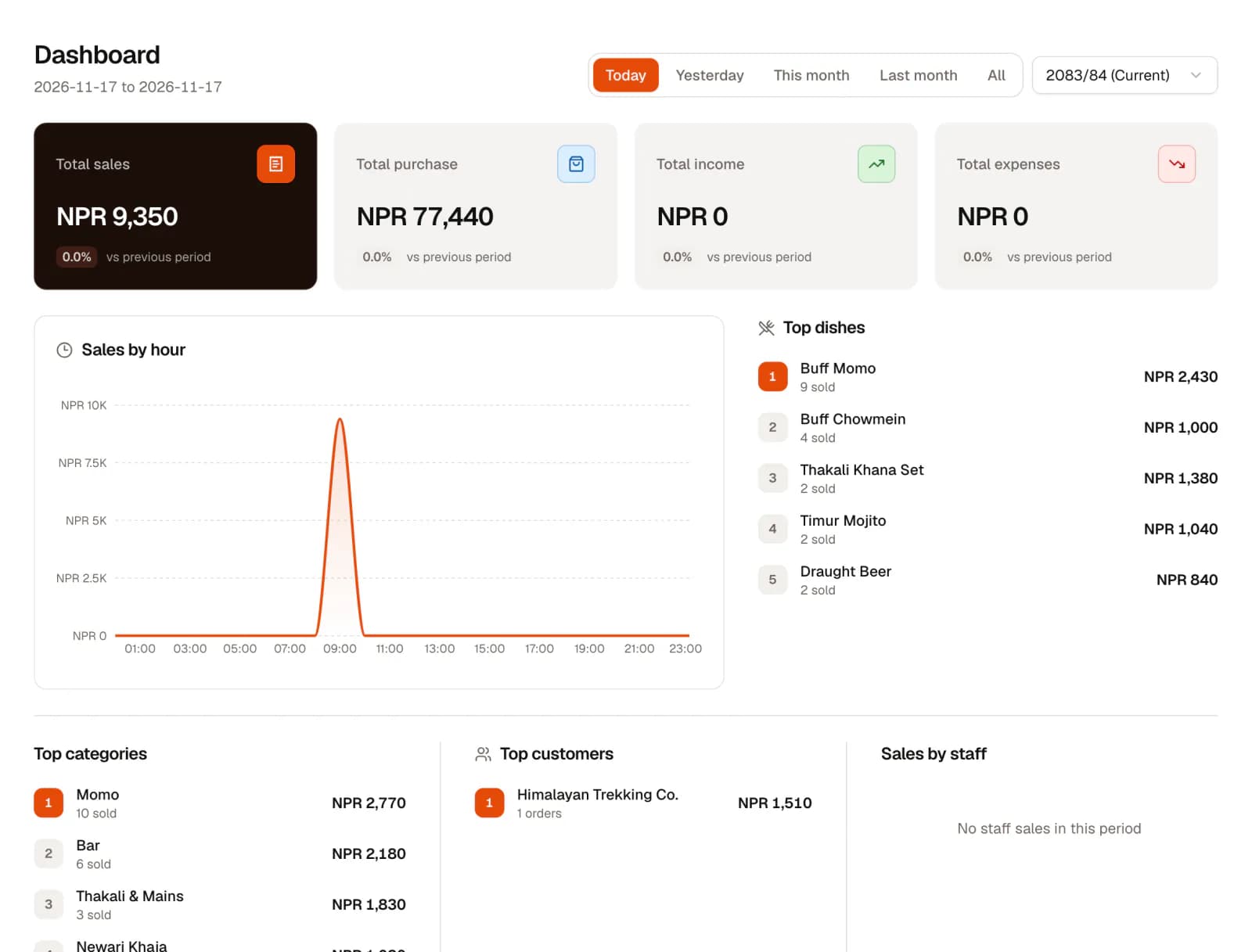
The owner sees the same day in numbers
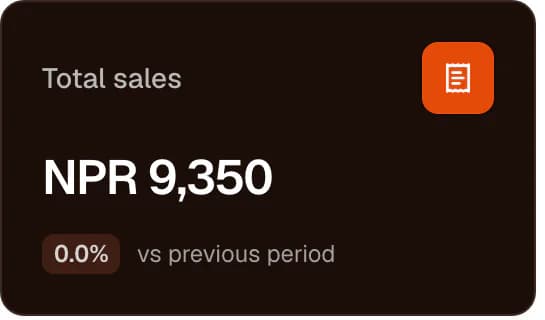
The settled bill is already in the sales figures, the day book and the customer’s balance. If the dishes have recipes, the stock they used has been deducted too.
- Today, yesterday, or any period
- Top dishes, categories and customers
- Sales, stock and accounting reports
Run service without the paper trail.
Orders, tables, tickets and the kitchen display are one system, so nobody has to carry an order slip across the restaurant or shout a correction to the kitchen.
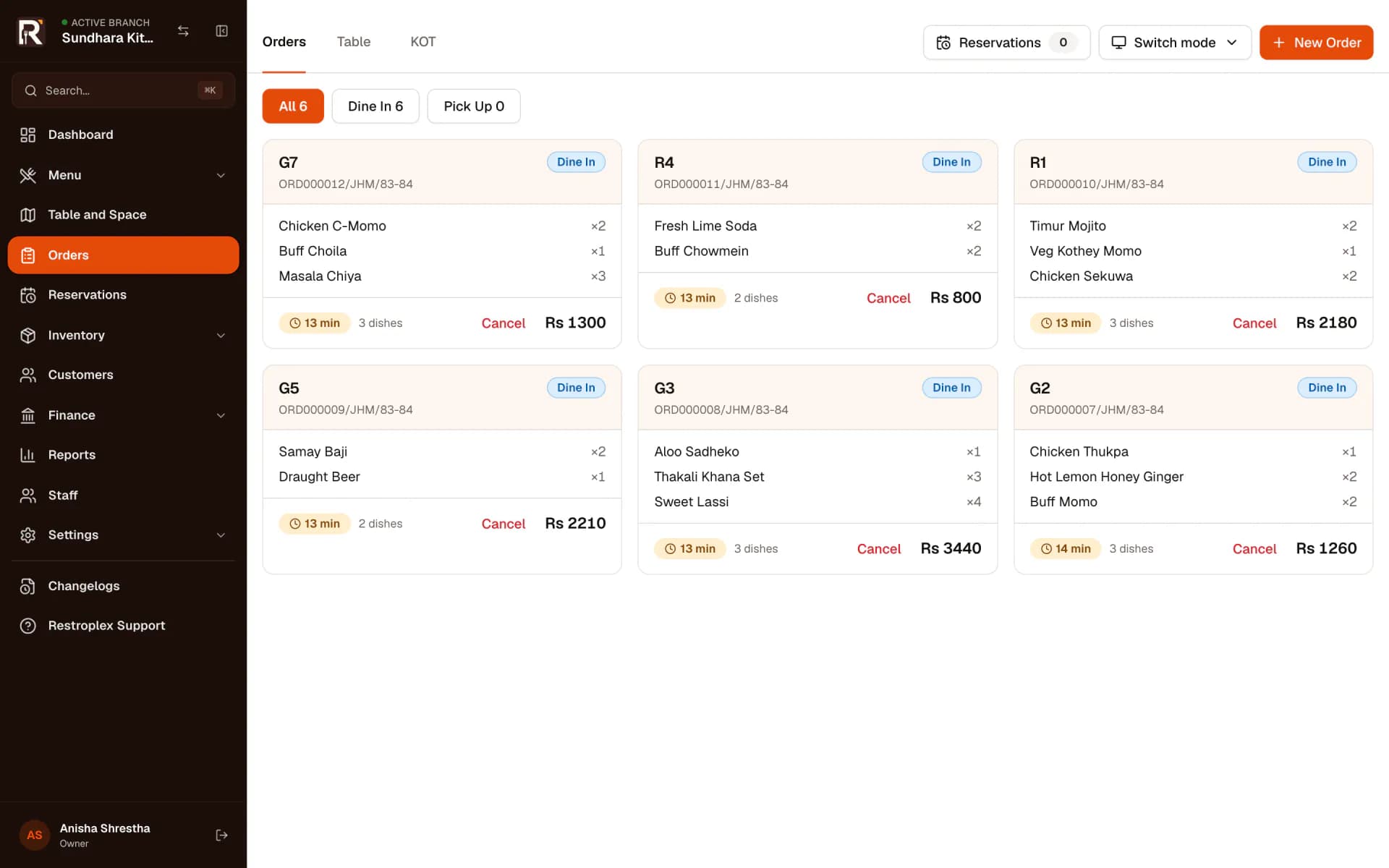
Orders board: every open table, what it ordered, how long it has waited and what it owes.
Kitchen display: twelve live tickets from six tables, split between kitchen and bar.
Also part of service
- Dine-in, pickup and quick bills
- Floor plan by space, with occupied tables
- Move dishes or a whole order to another table
- Several tables checked out as one party
- Reservations on Professional and Business
Stay in control of stock and money.
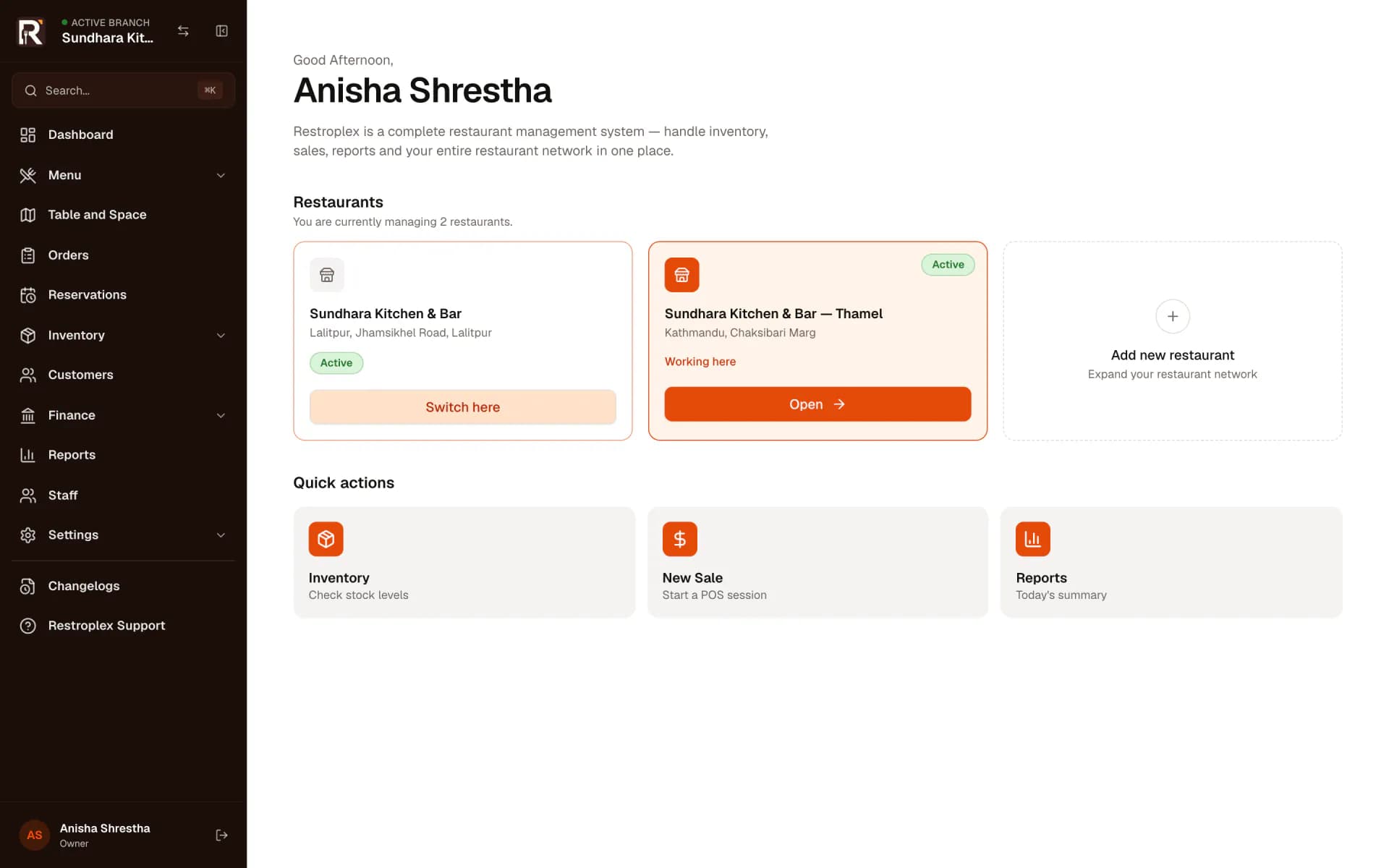
Stock, suppliers, customer credit and the accounts are updated by the same orders and bills your staff already enter, instead of being rebuilt in a spreadsheet at night.
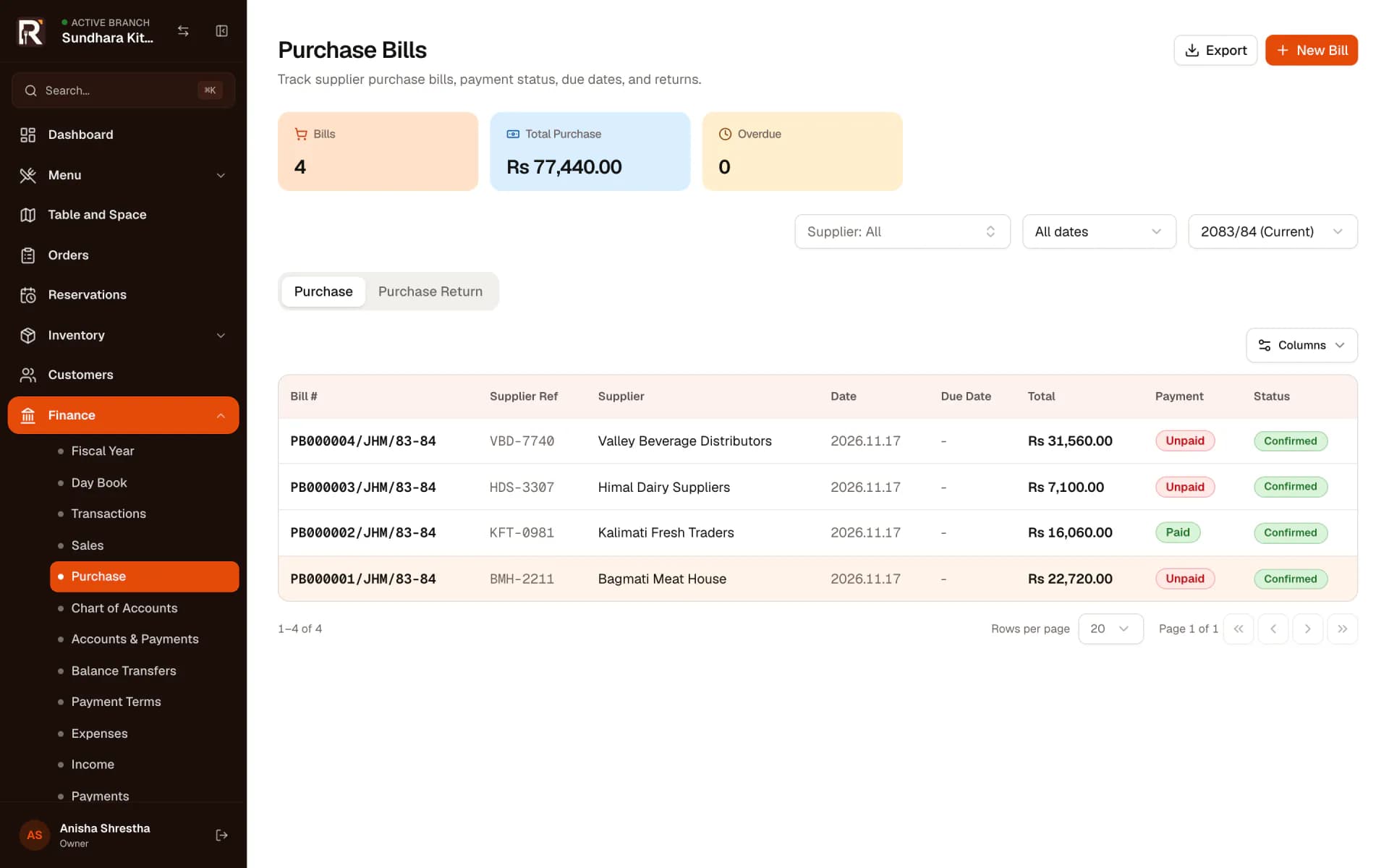
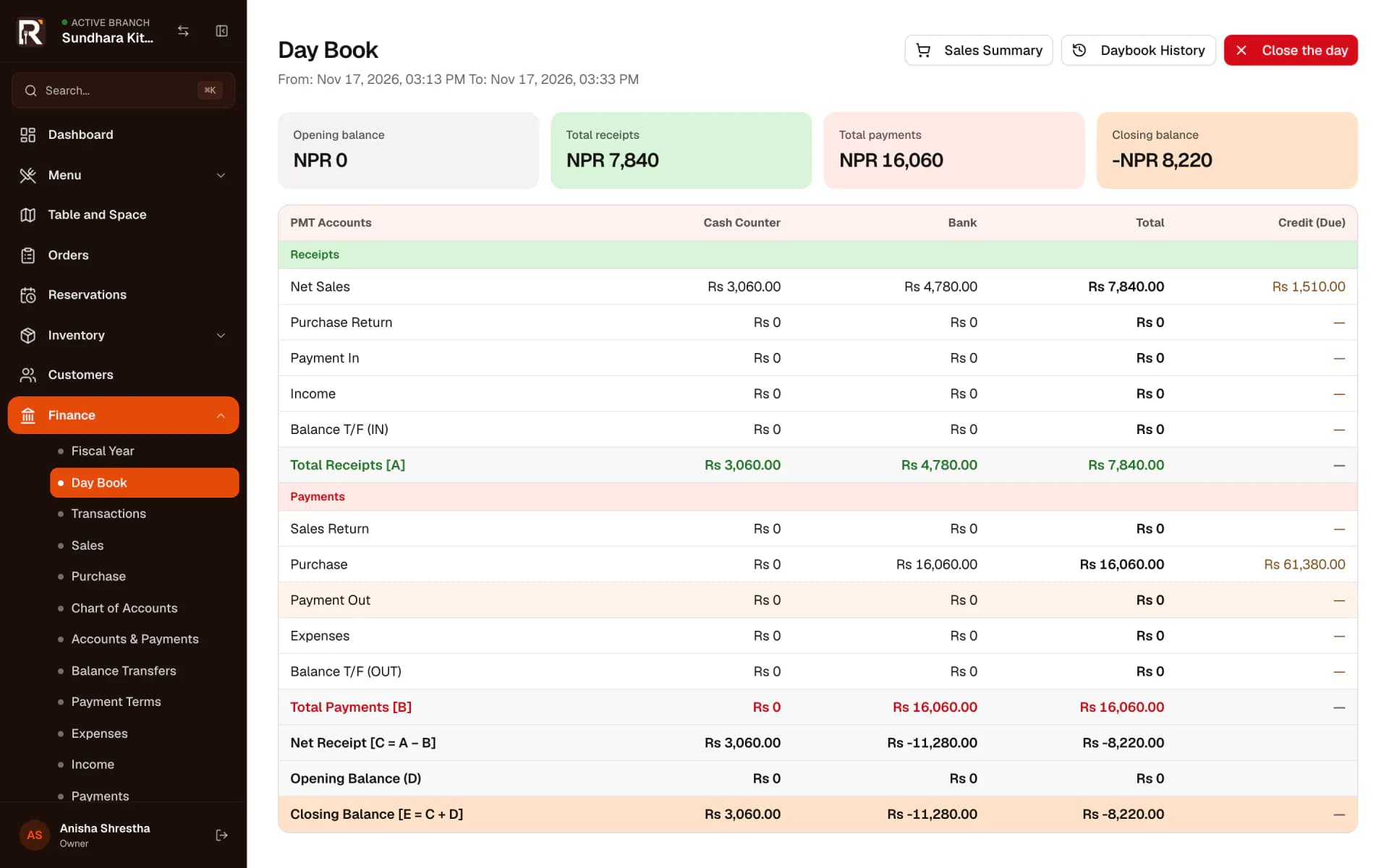
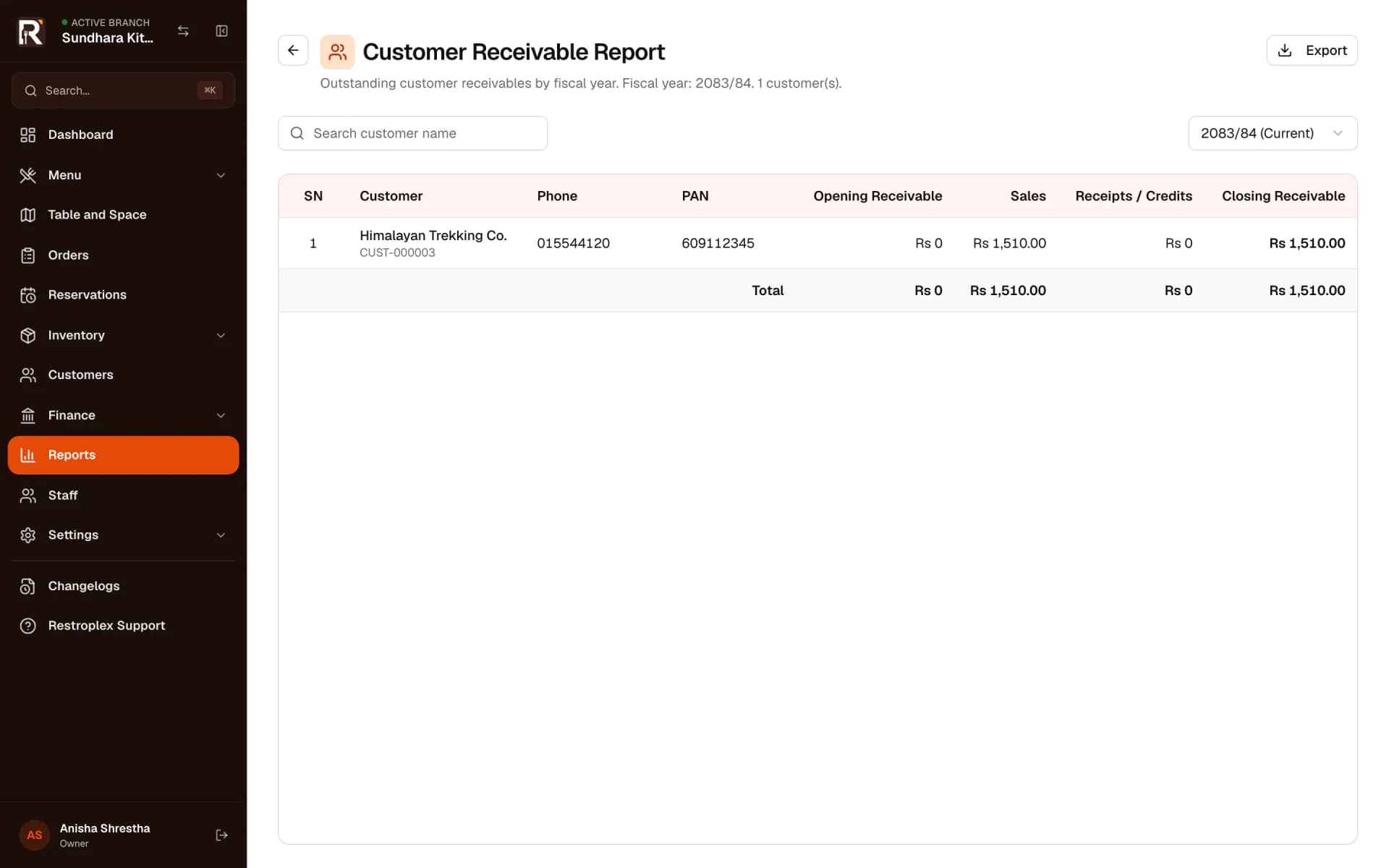
Inventory, purchasing and the full financial statements are part of the Professional and Business plans.
One login for every restaurant you run.
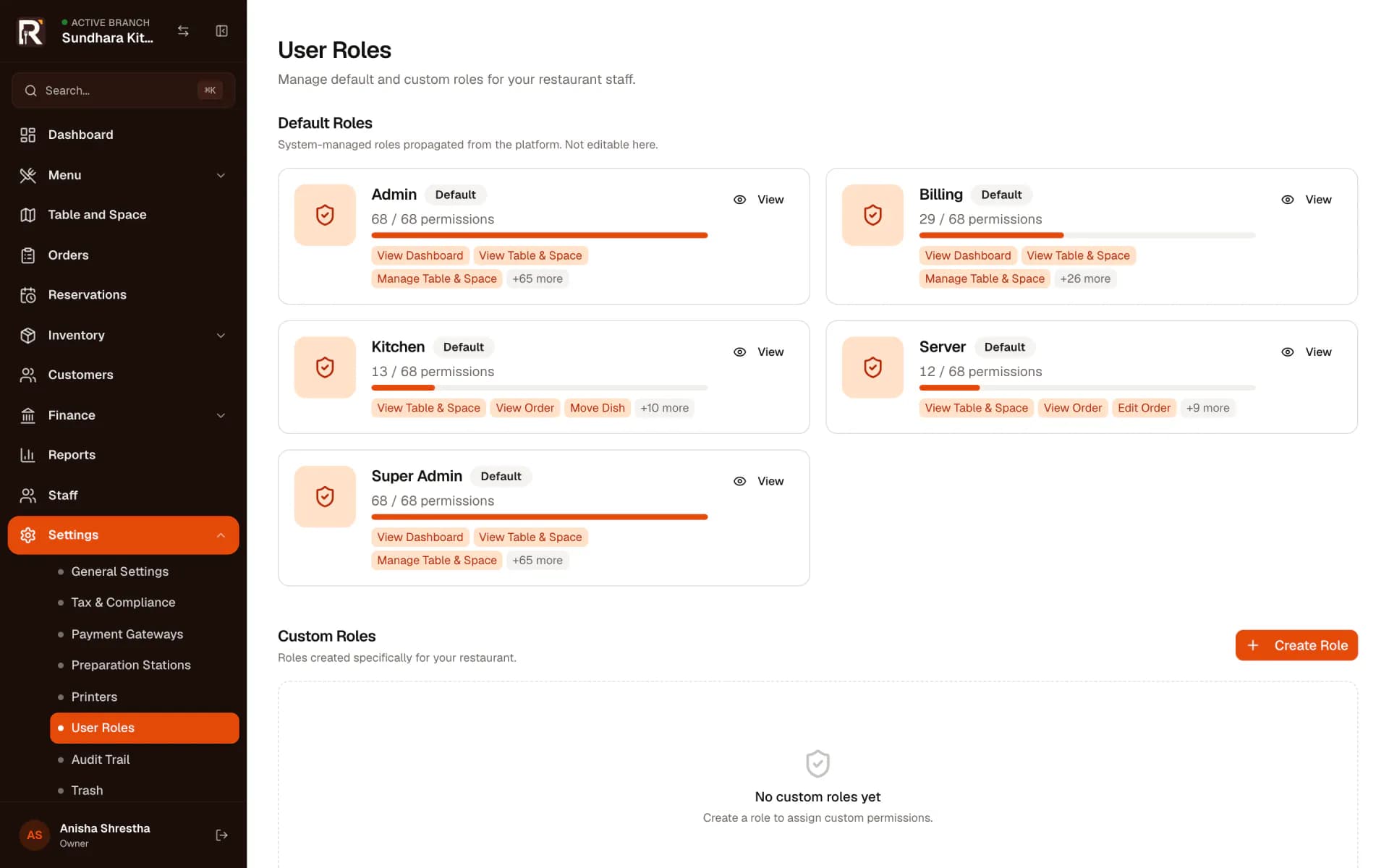
Give each person a role that matches their job. Add a second restaurant without starting again, and switch between them from one login.
- Default roles for servers, billing, kitchen and admins
- Custom roles on Professional and Business
- Actions outside a role are disabled and refused
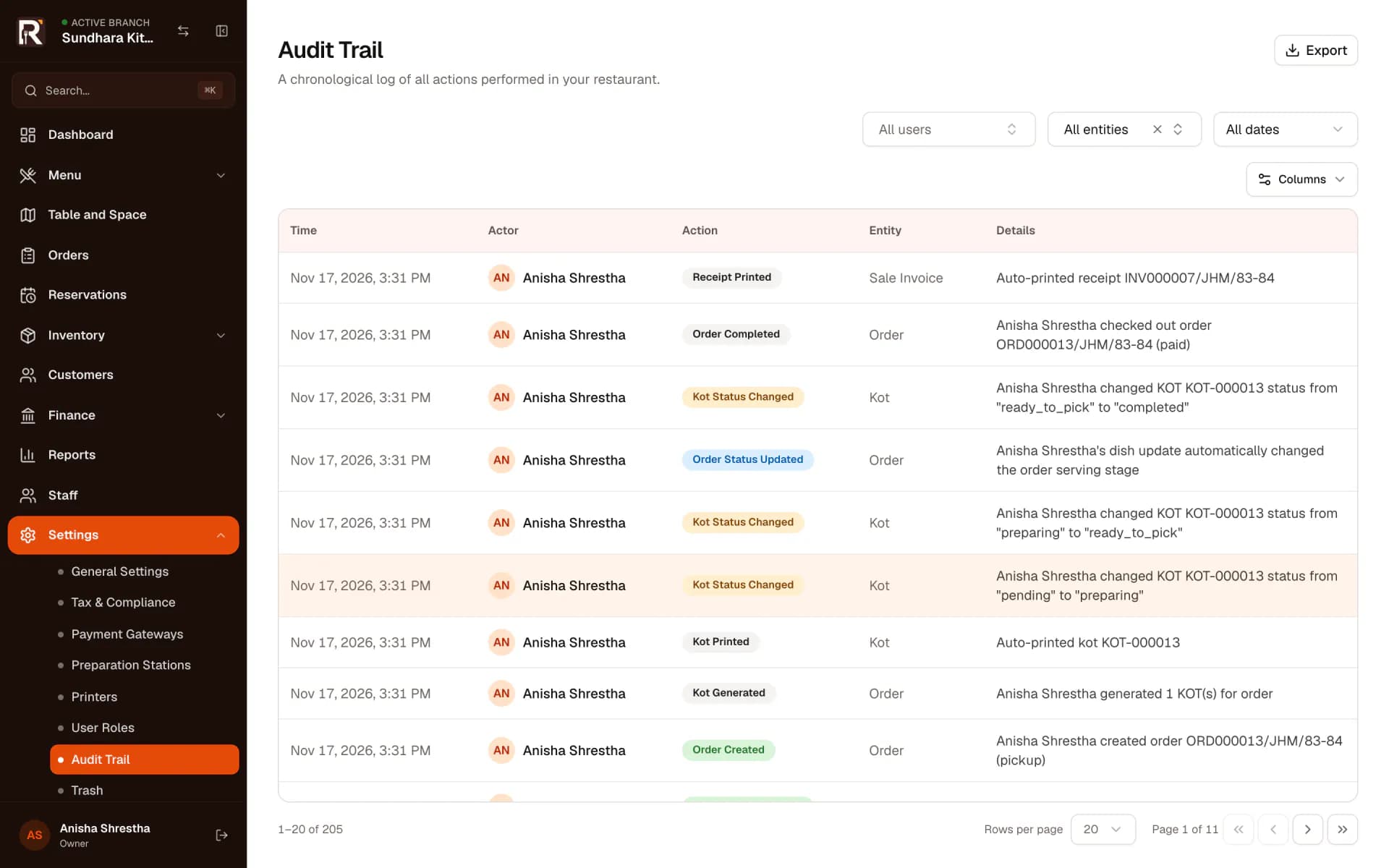
- An audit trail of who changed what
- Each restaurant keeps its own menu, staff, stock and books
What it takes to set up.
What you need on the counter, in the kitchen and on the network before the first service.
Restroplex
An order is sent, or a bill is settled.
OPPA agent on a computer at the restaurant
Paired once with a code. If it goes offline, jobs wait and are sent when it reconnects.
- Receipt printer
- Kitchen printer
- Bar printer
- Devices
- A modern browser on a computer for the counter, phones or tablets for waiters, and any screen in the kitchen for the kitchen display. Nothing to install apart from the printer agent. Hardware is not included in any plan.
- Internet
- Restroplex is online software. Orders, tickets and the kitchen display need a connection. If it drops, the app tells staff it is offline and retries when it returns, so a backup such as mobile data is worth having.
- Printers
- Receipt and kitchen printers connect through OPPA, the printer agent described alongside. The number of agents you can pair depends on your plan.
- Staff
- Invite each person by email and give them a role. Servers, billing staff, kitchen staff and managers see only what their role allows.
- Menu and tables
- Enter categories, dishes, variants and add-ons, then your spaces and tables — tables can be added in bulk. Choose which station prepares each dish.
- Locations
- Each restaurant is set up separately with its own subscription, menu, staff, stock and accounts, and the owner switches between them.
- Help
- The team answers setup questions by email and Messenger. Assisted onboarding is included in the Business plan.
Not sure your printers or network will work? Tell us about your setup and we will check before you commit.
Pricing, per restaurant.
Each restaurant has its own plan. Plans differ in how much you can set up — staff, tables, dishes, printer agents — and in whether stock, purchasing and full accounting are included. Hardware is not included.
How getting started works
Step 1
Create an account
Register with your email or phone number and verify it.
Step 2
Add your restaurant
Enter its name and address. Restroplex creates the restaurant with kitchen and bar stations and basic payment modes ready to edit.
Step 3
Choose a plan and pay
Pick a plan on the billing page, pay by bank transfer and upload the receipt. The Restroplex team verifies it and activates the plan.
Step 4
Set up and start service
Add your menu, tables, staff and printers, then take the first order.
Want to try it before paying? Trials are not switched on automatically. Request a demo, and after a short conversation about your restaurant the team can grant trial access to your account.
Made in Kathmandu, by people you can reach.
Restroplex is designed, built and supported by Neplex Technologies in Kathmandu. You deal directly with the company that makes the software — by email, Messenger or a demo.
- Separate data for each restaurant
- Every restaurant’s orders, stock and accounts live in their own database, apart from every other restaurant on Restroplex.
- Permissions checked by the server
- A role limits more than what a screen shows. Requests outside the role are refused, not just hidden.
- Nothing changes silently
- Orders, tickets, invoices and settings changes are written to an audit trail with the person and the time. Deleted records go to trash first.
- Your records leave with you
- Sales, stock and accounting reports export to Excel whenever you need them — for your accountant, or your own files.
Before you ask.
Hardware, printing, trials and fit — answered plainly.
See it with your own menu.
In a demo we walk through the parts that matter to your restaurant — service, the kitchen, billing, stock or several locations — and answer questions about your printers and setup.